- TypeScript
TypeScript DOMの型一覧 要素・イベントの型早見表


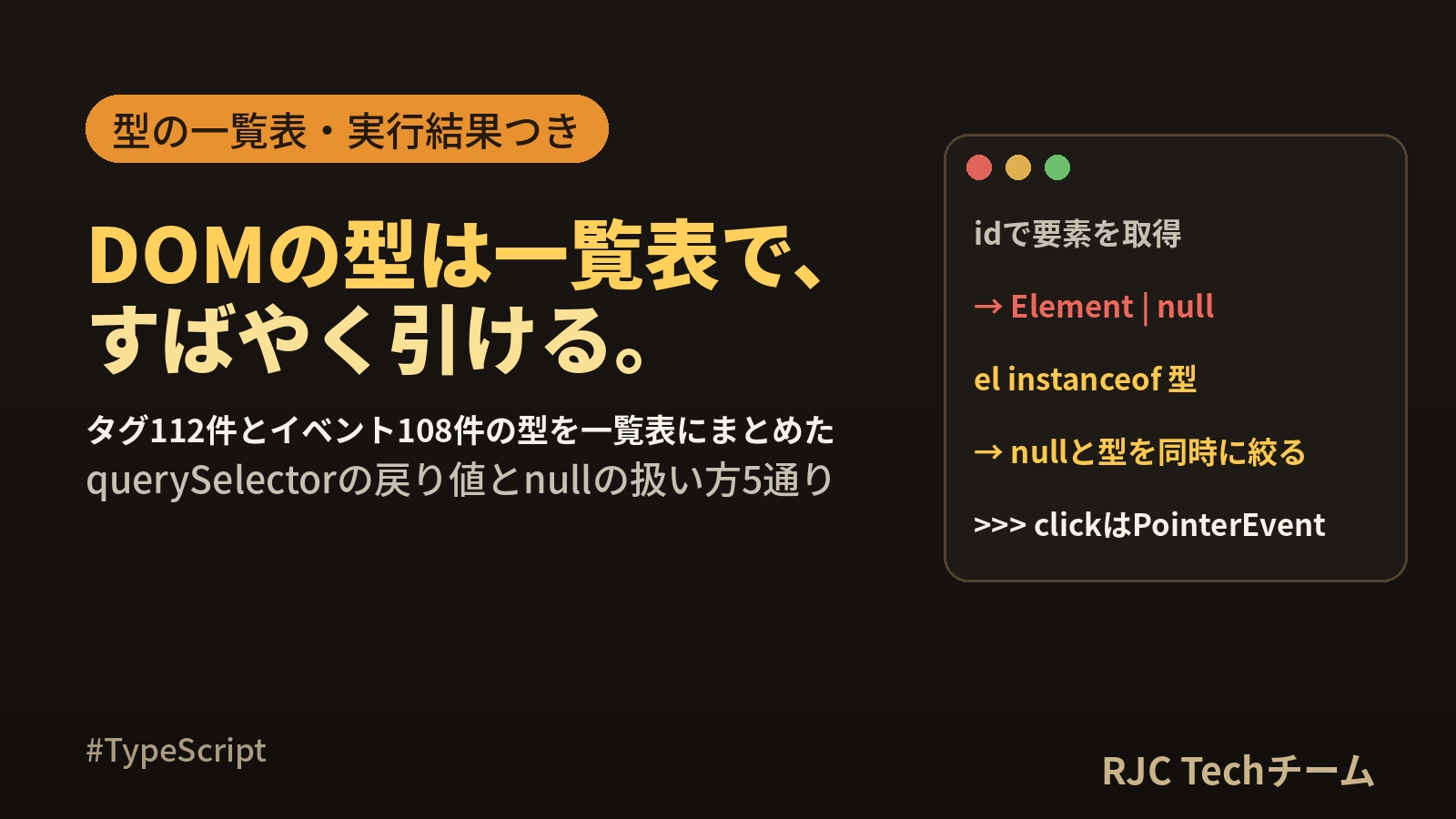
TypeScript の DOM の型とは、TypeScript に同梱されている lib.dom.d.ts というファイルに書かれた、要素やイベントの型定義のことです。 input 要素なら HTMLInputElement、click イベントなら PointerEvent というように、タグ名とイベント名ごとに型が決まっています。
この記事では、タグ名 112 件と要素の型、イベント名 108 件とイベントの型の対応表を、TypeScript 7.0.2 に入っている lib.dom.d.ts から機械的に取り出して載せました。あわせて、querySelector の戻り値の型、null の扱い方 5 通り、event.target の型エラーを、tsc の出力全文と Chromium での実行結果つきで整理します。
確認環境:Ubuntu 24.04 / TypeScript 7.0.2(npx tsc --version の表示は Version 7.0.2)/ Node.js 22.22.2 / Playwright 1.56.0 と Chromium 141.0.7390.37。
DOMの型の早見表
| やりたいこと | 書き方 | 得られる型 |
|---|---|---|
| タグ名で1つ取る | document.querySelector("input") |
HTMLInputElement | null |
| id やクラスで1つ取る | document.querySelector("#name") |
Element | null |
| 型を指定して1つ取る | document.querySelector<HTMLInputElement>("#name") |
HTMLInputElement | null |
| タグ名で全部取る | document.querySelectorAll("li") |
NodeListOf<HTMLLIElement> |
| クラスで全部取る | document.querySelectorAll(".item") |
NodeListOf<Element> |
| id で取る | document.getElementById("name") |
HTMLElement | null |
| 要素を作る | document.createElement("canvas") |
HTMLCanvasElement |
| クリックを受け取る | addEventListener("click", (e) => …) |
e は PointerEvent |
| 入力を受け取る | addEventListener("input", (e) => …) |
e は InputEvent |
| キー入力を受け取る | addEventListener("keydown", (e) => …) |
e は KeyboardEvent |
| フォーム送信を受け取る | addEventListener("submit", (e) => …) |
e は SubmitEvent |
| イベントの発生元 | e.target / e.currentTarget |
どちらも EventTarget | null |
| 入力欄の値を読む | if (e.target instanceof HTMLInputElement) の中で e.target.value |
string |
| よく出るエラー | 意味 | 直し方 |
|---|---|---|
| TS2531: Object is possibly 'null'. | 式の結果が null かもしれない | if、?.、instanceof で確かめる |
| TS18047: 'input' is possibly 'null'. | 変数が null かもしれない | 同上 |
| TS2339: Property 'value' does not exist on type 'Element'. | 型が広すぎて value が見えない | instanceof かタグ名のセレクタで絞る |
本記事の内容は、ご自由にお使いください。
ご利用の際は、出典として本ページへのリンクを記載いただけますようお願いします。
(記載例)出典:株式会社RJC「TypeScript DOMの型一覧 要素・イベントの型早見表」
DOMの型はどこで決まっているか
DOM の型は、TypeScript 本体と一緒に入る lib.dom.d.ts に書かれています。tsconfig.json の lib に "dom" を入れると読み込まれます。この記事の tsc の出力は、すべて次の設定で取りました。
{
  "compilerOptions": {
    "target": "es2022",
    "module": "esnext",
    "lib": ["es2022", "dom", "dom.iterable"],
    "strict": true,
    "rootDir": "src",
    "noEmit": true
  },
  "include": ["src"]
}
要素の型は、次のように親から子へ受け継がれています。下に行くほど使えるプロパティが増えるので、「value が無い」と言われたら、いま持っている型がどの段にいるかを見ると原因がわかります。
graph TD
  A[EventTarget] --> B[Node]
  B --> C[Element]
  C --> D[HTMLElement]
  C --> E[SVGElement]
  D --> F[HTMLInputElement]
  D --> G[HTMLButtonElement]
  D --> H[HTMLDivElement など]
| 型 | 主に持っているもの | この型になる場面 |
|---|---|---|
EventTarget |
addEventListener、dispatchEvent | e.target、e.currentTarget |
Node |
textContent、parentNode、childNodes | childNodes の中身 |
Element |
id、classList、getAttribute、querySelector | クラスや id で querySelector したとき |
HTMLElement |
style、dataset、hidden、focus、click | getElementById、section や span など |
HTMLInputElement など |
value、checked、files、disabled | タグ名で取ったとき、instanceof で絞ったあと |
タグ名から要素の型を引く一覧(112件)
document.querySelector("タグ名") や document.createElement("タグ名") が返す型は、lib.dom.d.ts の HTMLElementTagNameMap という対応表で決まります。TypeScript 7.0.2 の中身を取り出すと、タグ名は 112 件、型は 63 種類でした。型ごとにまとめた一覧が次の表です。
| タグ名 | 要素の型 |
|---|---|
a |
HTMLAnchorElement |
abbr address article aside b bdi bdo cite code dd dfn dt em figcaption figure footer header hgroup i kbd main mark nav noscript rp rt ruby s samp search section small strong sub summary sup u var wbr |
HTMLElement |
area |
HTMLAreaElement |
audio |
HTMLAudioElement |
base |
HTMLBaseElement |
blockquote q |
HTMLQuoteElement |
body |
HTMLBodyElement |
br |
HTMLBRElement |
button |
HTMLButtonElement |
canvas |
HTMLCanvasElement |
caption |
HTMLTableCaptionElement |
col colgroup |
HTMLTableColElement |
data |
HTMLDataElement |
datalist |
HTMLDataListElement |
del ins |
HTMLModElement |
details |
HTMLDetailsElement |
dialog |
HTMLDialogElement |
div |
HTMLDivElement |
dl |
HTMLDListElement |
embed |
HTMLEmbedElement |
fieldset |
HTMLFieldSetElement |
form |
HTMLFormElement |
h1 h2 h3 h4 h5 h6 |
HTMLHeadingElement |
head |
HTMLHeadElement |
hr |
HTMLHRElement |
html |
HTMLHtmlElement |
iframe |
HTMLIFrameElement |
img |
HTMLImageElement |
input |
HTMLInputElement |
label |
HTMLLabelElement |
legend |
HTMLLegendElement |
li |
HTMLLIElement |
link |
HTMLLinkElement |
map |
HTMLMapElement |
menu |
HTMLMenuElement |
meta |
HTMLMetaElement |
meter |
HTMLMeterElement |
object |
HTMLObjectElement |
ol |
HTMLOListElement |
optgroup |
HTMLOptGroupElement |
option |
HTMLOptionElement |
output |
HTMLOutputElement |
p |
HTMLParagraphElement |
picture |
HTMLPictureElement |
pre |
HTMLPreElement |
progress |
HTMLProgressElement |
script |
HTMLScriptElement |
select |
HTMLSelectElement |
slot |
HTMLSlotElement |
source |
HTMLSourceElement |
span |
HTMLSpanElement |
style |
HTMLStyleElement |
table |
HTMLTableElement |
tbody tfoot thead |
HTMLTableSectionElement |
td th |
HTMLTableCellElement |
template |
HTMLTemplateElement |
textarea |
HTMLTextAreaElement |
time |
HTMLTimeElement |
title |
HTMLTitleElement |
tr |
HTMLTableRowElement |
track |
HTMLTrackElement |
ul |
HTMLUListElement |
video |
HTMLVideoElement |
専用の型を持たないタグ(section、header、strong など 39 件)は、すべて HTMLElement になります。HTMLElement にあるプロパティだけで足りるためです。
同じファイルには、ほかにも対応表があります。
| 対応表の名前 | 件数 | 例 |
|---|---|---|
HTMLElementTagNameMap |
112 | input は HTMLInputElement |
SVGElementTagNameMap |
63 | svg は SVGSVGElement、circle は SVGCircleElement |
MathMLElementTagNameMap |
31 | 数式用の要素 |
HTMLElementDeprecatedTagNameMap |
29 | font は HTMLFontElement、marquee は HTMLMarqueeElement |
一覧を自分の環境で取り出すスクリプト
TypeScript の版が変わると一覧も変わります。手元の版で確かめたいときは、次の Python スクリプトを typescript を入れたフォルダで実行します。
import re, sys

path = "node_modules/@typescript/typescript-linux-x64/lib/lib.dom.d.ts"
src = open(path, encoding="utf-8").read()

def members(name):
    body = re.search(r"^interface " + name + r"\b[^{]*\{\n(.*?)^\}", src, re.S | re.M).group(1)
    return re.findall(r'^\s+"([^"]+)": ([^;]+);', body, re.M)

tags = members("HTMLElementTagNameMap")
events = members("ElementEventMap") + members("GlobalEventHandlersEventMap")
print("タグ:", len(tags), "件 / 型:", len({t for _, t in tags}), "種類")
print("イベント:", len(events), "件 / 型:", len({t for _, t in events}), "種類")
for name, type_ in (tags if "tags" in sys.argv else events if "events" in sys.argv else []):
    print(name, "->", type_)
$ python3 list-dom-types.py
タグ: 112 件 / 型: 63 種類
イベント: 108 件 / 型: 20 種類
$ python3 list-dom-types.py tags
…(省略)…
a -> HTMLAnchorElement
abbr -> HTMLElement
address -> HTMLElement
area -> HTMLAreaElement
…(省略)…
path は、TypeScript 7.0.2 を Linux(x64)に入れたときの場所です。見つからないときは find node_modules -name lib.dom.d.ts で探して書き換えます。
要素を取得するメソッドごとの戻り値の型
同じ要素を取る場合でも、書き方によって戻り値の型が変わります。次のコードを tsc の --declaration で型定義ファイルに出力し、推論された型を確かめました。
export const a = document.querySelector("input");
export const b = document.querySelector("#name");
export const c = document.querySelector("input.name");
export const d = document.querySelector<HTMLInputElement>("#name");
export const e = document.querySelector("#name") as HTMLInputElement | null;
export const f = document.querySelectorAll("li");
export const g = document.querySelectorAll(".item");
export const h = document.querySelectorAll<HTMLLIElement>(".item");
export const i = document.getElementById("name");
export const j = document.getElementsByClassName("item");
export const k = document.getElementsByTagName("li");
export const l = document.createElement("canvas");
export const m = document.createElement("my-box");
export const n = document.body.closest("form");
export const o = document.body.closest(".card");
export const p = document.querySelector("svg");
export const q = document.querySelector("circle");
export const r = document.body.children;
export const s = document.body.firstElementChild;
export const t = document.body.parentElement;
export const u = document.body.childNodes;
export const v = document.forms;
export const w = document.activeElement;
出力された型定義(npx tsc -p . --noEmit false --declaration --emitDeclarationOnly --outDir dts)です。
export declare const a: HTMLInputElement | null;
export declare const b: Element | null;
export declare const c: Element | null;
export declare const d: HTMLInputElement | null;
export declare const e: HTMLInputElement | null;
export declare const f: NodeListOf<HTMLLIElement>;
export declare const g: NodeListOf<Element>;
export declare const h: NodeListOf<HTMLLIElement>;
export declare const i: HTMLElement | null;
export declare const j: HTMLCollectionOf<Element>;
export declare const k: HTMLCollectionOf<HTMLLIElement>;
export declare const l: HTMLCanvasElement;
export declare const m: HTMLElement;
export declare const n: HTMLFormElement | null;
export declare const o: Element | null;
export declare const p: SVGSVGElement | null;
export declare const q: SVGCircleElement | null;
export declare const r: HTMLCollection;
export declare const s: Element | null;
export declare const t: HTMLElement | null;
export declare const u: NodeListOf<ChildNode>;
export declare const v: HTMLCollectionOf<HTMLFormElement>;
export declare const w: Element | null;
ここから読み取れるポイントは4つです。
- セレクタがタグ名そのもの(a、f、n、p)のときだけ、専用の型になる。
"input.name"のようにクラスを足した c はElement | nullになります。文字列がタグ名と完全に一致するかどうかで決まるためです。 - 1つ取るメソッドは
| nullが付き、全部取るメソッドは付かない。 見つからないとき、前者は null、後者は空のリストを返します。 - getElementById は HTMLElement、querySelector は Element から始まります。style や dataset は HTMLElement にあるので、
document.querySelector(".card").styleは null を除いても TS2339 になります。 - createElement は null が付かない。 対応表にない名前(m)は HTMLElement になります。
d のジェネリクスと e の as は、どちらも「この型だと信じる」という指定です。実際の要素を調べているわけではない点は、後半の Chromium の結果で確かめます。
nullかもしれないエラーの全文と5通りの直し方
まず、エラーになる例です。
document.querySelector("input").value = "taro";

const input = document.querySelector("input");
input.value = "taro";

const name1 = document.querySelector("#name");
if (name1) {
  name1.value = "taro";
}
$ npx tsc -p .
src/null1.ts(1,1): error TS2531: Object is possibly 'null'.
src/null1.ts(4,1): error TS18047: 'input' is possibly 'null'.
src/null1.ts(8,9): error TS2339: Property 'value' does not exist on type 'Element'.
--locale ja を付けると日本語になります。
$ npx tsc -p . --locale ja
src/null1.ts(1,1): error TS2531: オブジェクトは 'null' である可能性があります。
src/null1.ts(4,1): error TS18047: 'input' は 'null' の可能性があります。
src/null1.ts(8,9): error TS2339: プロパティ 'value' は型 'Element' に存在しません。
| 番号 | 出る場面 | 原因 |
|---|---|---|
| TS2531 | メソッドの戻り値にそのまま .value と続けた |
式に名前がないので「Object」と表示される |
| TS18047 | 変数に入れてから使った | 変数名つきで表示される。原因は TS2531 と同じ |
| TS2339 | null は除いたが、型が Element のまま |
value は HTMLInputElement などにしかない |
TS2531 と TS18047 は同じ原因で、書き方によって番号が変わるだけです。3つ目の TS2339 は null とは別の話で、型を絞る必要があります。
次のコードは、5通りの直し方を1つのファイルにまとめたものです。このまま npx tsc -p . が通ります。
// 1. if で確かめる(タグ名で取ったので型は HTMLInputElement | null)
const a = document.querySelector("input");
if (a) {
  a.value = "1: if";
}

// 2. オプショナルチェーン ?.(読むだけ・呼ぶだけのとき)
const len = document.querySelector("input")?.value.length;
document.querySelector("button")?.focus();

// 3. instanceof(null でないことと、要素の種類を同時に確かめる)
const c = document.querySelector("#name");
if (c instanceof HTMLInputElement) {
  c.value = "3: instanceof";
}

// 4. 見つからなければ止める関数(何度も使うならこれ)
function mustGet<T extends Element>(selector: string, type: new () => T): T {
  const el = document.querySelector(selector);
  if (!(el instanceof type)) {
    throw new Error(`${selector} が ${type.name} として見つかりません`);
  }
  return el;
}
const d = mustGet("#name", HTMLInputElement);
d.value = "4: mustGet";

// 5. 非 null アサーション !(必ず在ると言い切れる場合だけ)
const e = document.querySelector("input")!;
e.value = "5: !";

console.log(len, a?.value);
| 方法 | null のとき | 型も絞れるか | 向いている場面 |
|---|---|---|---|
| 1. if | 中の処理を飛ばす | タグ名で取った場合のみ | その場で1回使う |
2. ?. |
undefined になる | 絞れない | 値を読む、メソッドを呼ぶ。代入の左辺に書くと TS2779 になる |
| 3. instanceof | 中の処理を飛ばす | 絞れる | id やクラスで取った要素、e.target |
| 4. 止める関数 | 原因のわかるエラーで止まる | 絞れる | 画面に必ずあるはずの要素を何度も取る |
5. ! |
そのまま進み、次の行で TypeError | 絞れない | 直前に自分で作った要素など、存在が確かなとき |
迷ったら 3 の instanceof を選ぶと、null と型の両方を1行で確かめられます。画面の土台になる要素には 4 が便利で、HTML 側の id を変えたときに、どのセレクタが見つからないのかがメッセージでわかります。
イベント名からイベントの型を引く一覧(108件)
要素.addEventListener("イベント名", (e) => …) の e の型は、HTMLElementEventMap で決まります。この表は ElementEventMap(2件)と GlobalEventHandlersEventMap(106件)を受け継いでいて、合わせて 108 件、型は 20 種類です。型ごとにまとめました。
| イベントの型 | 件数 | イベント名 |
|---|---|---|
Event |
43 | beforematch cancel canplay canplaythrough change close command contextlost contextrestored cuechange durationchange emptied ended fullscreenchange fullscreenerror invalid load loadeddata loadedmetadata loadstart pause play playing pointerrawupdate ratechange reset scroll scrollend seeked seeking select selectionchange selectstart slotchange stalled suspend timeupdate volumechange waiting webkitanimationend webkitanimationiteration webkitanimationstart webkittransitionend |
PointerEvent |
13 | auxclick click contextmenu gotpointercapture lostpointercapture pointercancel pointerdown pointerenter pointerleave pointermove pointerout pointerover pointerup |
MouseEvent |
8 | dblclick mousedown mouseenter mouseleave mousemove mouseout mouseover mouseup |
DragEvent |
7 | drag dragend dragenter dragleave dragover dragstart drop |
AnimationEvent |
4 | animationcancel animationend animationiteration animationstart |
FocusEvent |
4 | blur focus focusin focusout |
TouchEvent |
4 | touchcancel touchend touchmove touchstart |
TransitionEvent |
4 | transitioncancel transitionend transitionrun transitionstart |
ClipboardEvent |
3 | copy cut paste |
CompositionEvent |
3 | compositionend compositionstart compositionupdate |
KeyboardEvent |
3 | keydown keypress keyup |
InputEvent |
2 | beforeinput input |
ToggleEvent |
2 | beforetoggle toggle |
UIEvent |
2 | abort resize |
ErrorEvent |
1 | error |
FormDataEvent |
1 | formdata |
ProgressEvent |
1 | progress |
SecurityPolicyViolationEvent |
1 | securitypolicyviolation |
SubmitEvent |
1 | submit |
WheelEvent |
1 | wheel |
window と document には、上の 108 件に加えて専用のイベントがあります。
| 対象 | 対応表 | 追加されるイベントの例 |
|---|---|---|
document |
DocumentEventMap |
DOMContentLoaded visibilitychange readystatechange(いずれも Event) |
window |
WindowEventMap |
beforeunload(BeforeUnloadEvent)、hashchange(HashChangeEvent)、popstate(PopStateEvent)、storage(StorageEvent)、message(MessageEvent)、unhandledrejection(PromiseRejectionEvent)、online offline(Event) |
video 要素 |
HTMLVideoElementEventMap |
enterpictureinpicture leavepictureinpicture(PictureInPictureEvent) |
よく使うイベントの型と、そこから読めるプロパティです(型は tsc 7.0.2 で確かめたもの)。
| 型 | 主なプロパティと型 |
|---|---|
PointerEvent |
clientX: number、button: number、pointerType: string |
MouseEvent |
clientX: number、clientY: number |
KeyboardEvent |
key: string、code: string、isComposing: boolean |
InputEvent |
data: string | null、inputType: string |
SubmitEvent |
submitter: HTMLElement | null |
FocusEvent |
relatedTarget: EventTarget | null |
WheelEvent |
deltaY: number |
DragEvent |
dataTransfer: DataTransfer | null |
ClipboardEvent |
clipboardData: DataTransfer | null |
TouchEvent |
touches: TouchList |
ToggleEvent |
newState: string |
押さえておきたい点が3つあります。
- click は PointerEvent、dblclick は MouseEvent です。PointerEvent は MouseEvent を受け継いでいるので、clientX などはどちらでも使えます。
- input は InputEvent、change は Event です。change の e には data や inputType がありません。
- 対応表にない名前(独自のイベントなど)は Event になります。
イベントハンドラの関数を別に定義するときの型
関数を外に出すときは、引数に表の型を書きます。イベント名と型が合わないと TS2769 になります。
const field = document.createElement("input");
function onKey(e: KeyboardEvent) { console.log(e.key); }
field.addEventListener("click", onKey);
src/ev_err.ts(14,33): error TS2769: No overload matches this call.
  The last overload gave the following error.
    Argument of type '(e: KeyboardEvent) => void' is not assignable to parameter of type 'EventListenerOrEventListenerObject'.
      Type '(e: KeyboardEvent) => void' is not assignable to type 'EventListener'.
        Types of parameters 'e' and 'evt' are incompatible.
          Type 'Event' is missing the following properties from type 'KeyboardEvent': altKey, charCode, code, ctrlKey, and 17 more.
(行番号は、次の章のエラー例と同じファイルに続けて書いたときのものです。)"click" を "keydown" に直すと通ります。onclick などのプロパティに代入する場合の型は次のとおりです。
export declare const oc: ((this: GlobalEventHandlers, ev: PointerEvent) => any) | null; // button.onclick
export declare const oi: ((this: GlobalEventHandlers, ev: InputEvent) => any) | null;   // input.oninput
export declare const ok: ((this: GlobalEventHandlers, ev: KeyboardEvent) => any) | null; // input.onkeydown
event.targetとcurrentTargetの型とvalueの読み方
イベントの型がわかっても、e.target と e.currentTarget の型はどちらも EventTarget | null です。そのまま value を読むとエラーが2つずつ出ます。
const field = document.createElement("input");
field.addEventListener("input", (e) => {
  console.log(e.target.value);
});
field.addEventListener("input", (e) => {
  console.log(e.currentTarget.value);
});
field.addEventListener("change", (e) => {
  if (e.target) {
    console.log(e.target.value);
  }
});
src/ev_err.ts(3,15): error TS18047: 'e.target' is possibly 'null'.
src/ev_err.ts(3,24): error TS2339: Property 'value' does not exist on type 'EventTarget'.
src/ev_err.ts(6,15): error TS18047: 'e.currentTarget' is possibly 'null'.
src/ev_err.ts(6,31): error TS2339: Property 'value' does not exist on type 'EventTarget'.
src/ev_err.ts(10,26): error TS2339: Property 'value' does not exist on type 'EventTarget'.
if で null を除いても、EventTarget には value がないので TS2339 が残ります。直し方は3つあります。
const field = document.createElement("input");

// 直し方1:instanceof で絞る
field.addEventListener("input", (e) => {
  if (e.target instanceof HTMLInputElement) {
    console.log(e.target.value);
  }
});

// 直し方2:登録した要素の変数をそのまま使う
field.addEventListener("input", () => {
  console.log(field.value);
});

// 直し方3:function で書いて this を使う(this は登録した要素の型になる)
field.addEventListener("input", function () {
  console.log(this.value);
});
型は同じでも、実行時に入っている要素は違います。target は実際に操作された要素、currentTarget はリスナーを登録した要素です。ボタンの中の span をクリックした場合の違いは、次の章の実行結果で確かめます。
e.target |
e.currentTarget |
function の this |
|
|---|---|---|---|
| 型 | EventTarget | null |
EventTarget | null |
登録した要素の型 |
| 実行時の中身 | 実際に操作された要素(子要素のこともある) | リスナーを登録した要素 | リスナーを登録した要素 |
| 向いている場面 | 親にまとめて登録して、どの子が押されたか調べる | 登録した要素そのものを扱う | アロー関数でない場合に型つきで扱う |
instanceofの絞り込みをChromiumで確かめる
型の上での絞り込みが、実行時にも合っているかを確かめます。次の HTML と TypeScript を用意し、tsc で JavaScript に変換して Chromium で動かしました。
<!doctype html>
<meta charset="utf-8">
<input id="name" value="taro">
<select id="plan"><option>A</option><option>B</option></select>
<textarea id="memo">memo</textarea>
<div id="box">box</div>
<button type="button"><span>送信</span></button>
const log: string[] = [];

// (1) instanceof による絞り込み
for (const sel of ["#name", "#plan", "#memo", "#box", "#none"]) {
  const el = document.querySelector(sel); // Element | null
  if (el instanceof HTMLInputElement) {
    log.push(`${sel}: HTMLInputElement value=${el.value} type=${el.type}`);
  } else if (el instanceof HTMLSelectElement) {
    log.push(`${sel}: HTMLSelectElement value=${el.value} options=${el.options.length}`);
  } else if (el instanceof HTMLElement) {
    log.push(`${sel}: HTMLElement (${el.constructor.name}) tagName=${el.tagName}`);
  } else {
    log.push(`${sel}: ${el}`);
  }
}

// (2) ジェネリクスは実行時には何も確かめない
const wrong = document.querySelector<HTMLInputElement>("#box");
if (wrong) {
  log.push(`generic: constructor=${wrong.constructor.name} value=${wrong.value}`);
  try {
    wrong.value.trim();
  } catch (err) {
    log.push(`generic: ${err}`);
  }
}

// (3) target と currentTarget
const button = document.querySelector("button")!;
button.addEventListener("click", (e) => {
  const t = e.target;
  const c = e.currentTarget;
  log.push(`event: ${e.constructor.name}`);
  log.push(`target: ${t instanceof HTMLElement ? t.tagName : t}`);
  log.push(`currentTarget: ${c instanceof HTMLElement ? c.tagName : c}`);
  log.push(`target is button: ${t instanceof HTMLButtonElement}`);
  log.push(`currentTarget is button: ${c instanceof HTMLButtonElement}`);
});
document.querySelector<HTMLElement>("button span")!.click();

// (4) input イベント
const nameInput = document.querySelector("input")!;
nameInput.addEventListener("input", (e) => {
  log.push(`input event: ${e.constructor.name}`);
  if (e.target instanceof HTMLInputElement) {
    log.push(`input value: ${e.target.value}`);
  }
});
(window as any).__log = log;
入力欄に hanako と入力したあとの log の中身です(Chromium 141.0.7390.37)。
#name: HTMLInputElement value=taro type=text
#plan: HTMLSelectElement value=A options=2
#memo: HTMLElement (HTMLTextAreaElement) tagName=TEXTAREA
#box: HTMLElement (HTMLDivElement) tagName=DIV
#none: null
generic: constructor=HTMLDivElement value=undefined
generic: TypeError: Cannot read properties of undefined (reading 'trim')
event: PointerEvent
target: SPAN
currentTarget: BUTTON
target is button: false
currentTarget is button: true
input event: InputEvent
input value: hanako
結果からわかることです。
- (1) instanceof は実行時に要素の種類を調べるので、型と中身が必ず一致する。 5つのセレクタが、型の上での分岐どおりに振り分けられました。
- (2) ジェネリクスで HTMLInputElement と指定しても、実際は HTMLDivElement のまま。 tsc は通りますが、value は undefined で、trim を呼んだところで TypeError になりました。ジェネリクスや as は、HTML を自分で管理していて要素の種類が確かな場合に使い、それ以外は instanceof を選ぶと安心です。
- (3) span をクリックすると、target は SPAN、currentTarget は BUTTON。 型は同じ
EventTarget | nullでも中身は別の要素でした。イベントの型は、一覧表のとおり PointerEvent です。 - (4) input イベントは InputEvent で、instanceof で絞ったあとは value を string として読めました。
フォームや属性まわりでよく出る型
要素とイベント以外で、null や undefined が付く型をまとめます(tsc 7.0.2 で確かめたもの)。
| 書き方 | 型 | 扱い方 |
|---|---|---|
form.elements.namedItem("name") |
Element | RadioNodeList | null |
instanceof HTMLInputElement で絞る |
new FormData(form).get("name") |
FormDataEntryValue | null |
typeof v === "string" で絞る |
el.dataset.id |
string | undefined |
?? "" で既定値を与える |
el.getAttribute("href") |
string | null |
?? "" か if |
el.classList |
DOMTokenList |
そのまま add、remove、toggle |
el.style |
CSSStyleDeclaration |
el が HTMLElement のときだけ使える |
el.parentElement |
HTMLElement | null |
if か ?. |
el.firstElementChild |
Element | null |
instanceof で絞る |
よくある質問
Q. HTMLElement と Element はどう使い分けますか? A. style、dataset、focus、click を使うなら HTMLElement、id や classList、getAttribute だけなら Element で足ります。関数の引数は、必要なプロパティを持つ中でいちばん広い型にすると、渡せる要素が増えます。
Q. e.target as HTMLInputElement と書いてもよいですか?
A. tsc は通ります。ただし as は実行時に何も調べないので、子要素から伝わってきたイベントでは別の要素が入っていることがあります。e.target instanceof HTMLInputElement なら、型と中身の両方を1行で確かめられます。
Q. querySelectorAll の結果で map が使えません。
A. 戻り値の NodeListOf は配列ではないため、forEach と for...of は使えますが map や filter はありません。Array.from(document.querySelectorAll("li")) か [...document.querySelectorAll("li")] で配列にします。for...of やスプレッドを使うには、tsconfig.json の lib に "dom.iterable" を入れておきます。
Q. document や window が見つからないというエラーが出ます。
A. tsconfig.json の lib に "dom" が入っているかを確かめます。lib を自分で指定すると、書いたものだけが読み込まれます。
まとめ
- DOM の型は lib.dom.d.ts にあり、タグ名 112 件・イベント名 108 件の対応表から決まる(TypeScript 7.0.2)
- querySelector はセレクタがタグ名そのもののときだけ専用の型になり、それ以外は
Element | null - TS2531 と TS18047 は「null かもしれない」、TS2339 は「型が広すぎる」。前者は if や
?.、後者は instanceof で直す - instanceof は null と要素の種類を同時に確かめられ、実行時の中身とも一致する
- ジェネリクスと as は型を言い切るだけ。div に HTMLInputElement を指定すると、tsc は通っても実行時に TypeError になる
- click は PointerEvent、input は InputEvent、change は Event、submit は SubmitEvent
- e.target と e.currentTarget の型はどちらも
EventTarget | null。中身は「操作された要素」と「登録した要素」で異なる
本記事の内容は、ご自由にお使いください。
ご利用の際は、出典として本ページへのリンクを記載いただけますようお願いします。
(記載例)出典:株式会社RJC「TypeScript DOMの型一覧 要素・イベントの型早見表」
株式会社RJC ― SI事業・SES事業・AI駆動開発。RJCは一緒に成長を楽しめる会社です。
WE ARE HIRING
RJCで一緒に開発しながら、
成長を楽しみませんか?
RJCは、Web・モバイル・AIを活用した開発プロジェクトで、テックリードやPM・PMOも活躍するシステム開発会社です。会社を知る、待遇を確かめる、話を聞いてみる。気になるところ見てみてください!
- 127日年間休日
- 12時間平均残業時間
- 毎日ガチャ遊びココロも大切にする福利厚生。アマギフなどの賞品ラインナップ!
ほかにも、チケットレストラン、書籍読み放題、2年ごとの慰労報奨(休暇 or 金一封)、11期連続の黒字決算。