- TypeScript
TS2307・TS7016 モジュールが見つからない原因と直し方


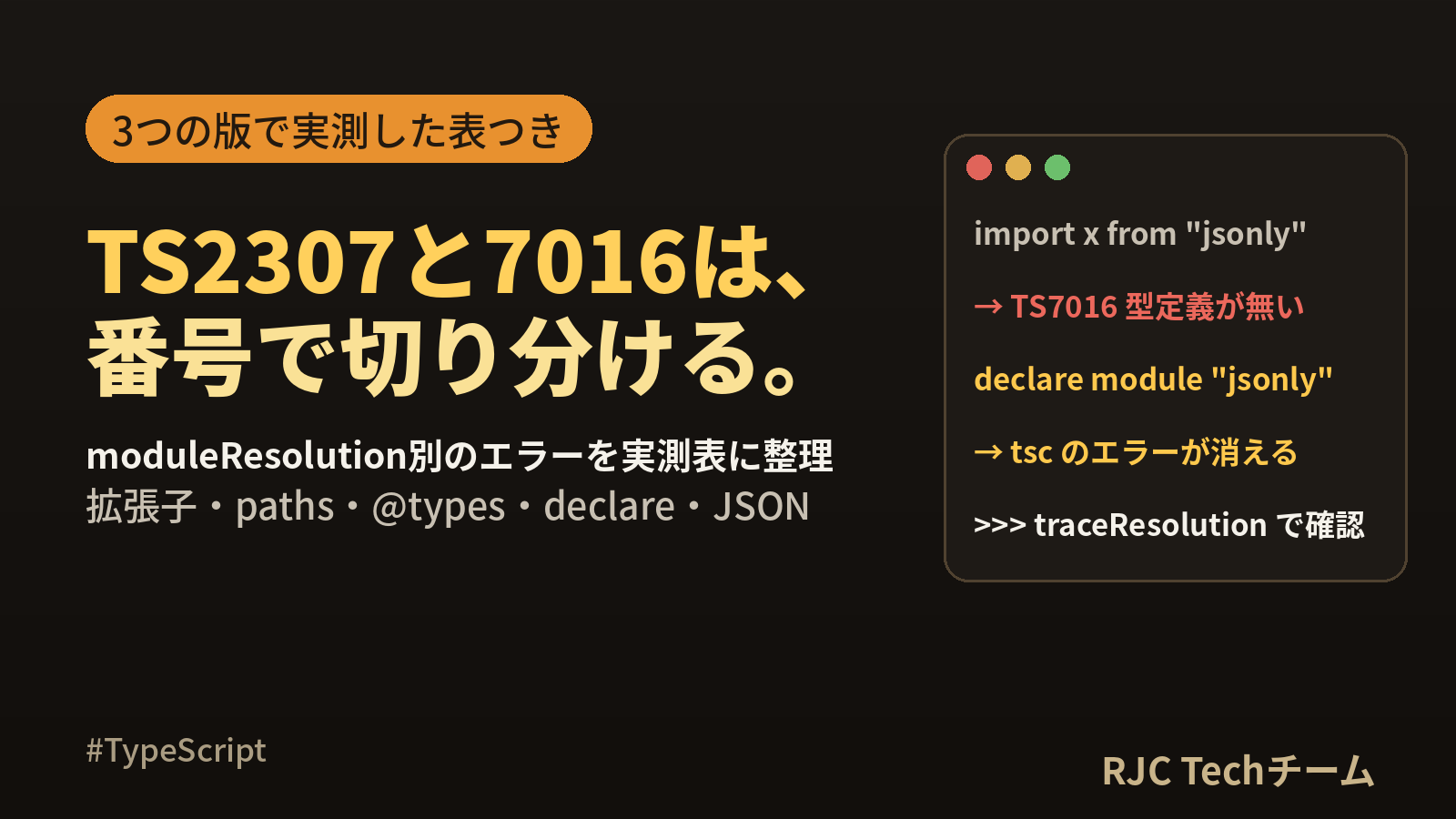
TS2307 は「import 先のファイルもパッケージも見つからない」、TS7016 は「JavaScript の本体は見つかったが、型定義(.d.ts)が無い」ことを知らせるエラーです。 どちらも import 文で出ますが、直す場所が違います。TS2307 はインストール・パス・tsconfig.json の設定を、TS7016 は型定義の追加を確かめます。
この記事では、同じ import 文を moduleResolution(bundler/node16/nodenext ほか)× 拡張子の有無 × package.json の type で総当たりし、TypeScript 5.9.3/6.0.3/7.0.2 でどのエラー番号が出るかを実測した表を載せます。続けて、tsc --traceResolution の読み方と、@types、declare module、paths、exports、CSS・SVG・JSON の import を 1 つずつ再現して直します。
確認環境:Ubuntu 24.04、Node.js 22.22.2、TypeScript 7.0.2/6.0.3/5.9.3。出力中のパスは /home/taro/app に置き換えています。
エラー番号から原因を引く早見表
| 番号 | メッセージ(英語/--locale ja) |
意味 | 最初に確かめること |
|---|---|---|---|
| TS2307 | Cannot find module 'x' or its corresponding type declarations./モジュール 'x' またはそれに対応する型宣言が見つかりません。 | 本体も型定義も見つからない | パッケージ名なら npm ls x、相対パスならファイルの有無とつづり、@/ なら paths |
| TS7016 | Could not find a declaration file for module 'x'. '…/index.js' implicitly has an 'any' type./モジュール 'x' の宣言ファイルが見つかりませんでした。 | 本体(.js)はあるが型定義が無い | @types/x の有無。無ければ declare module |
| TS2835 | Relative import paths need explicit file extensions in ECMAScript imports when '--moduleResolution' is 'node16' or 'nodenext'. Did you mean './util.js'? | ESM として扱われるファイルで、相対 import に拡張子が無い | import を ./util.js にする |
| TS2792 | Cannot find module 'x'. Did you mean to set the 'moduleResolution' option to 'nodenext', or to add aliases to the 'paths' option? | moduleResolution が classic で、node_modules を探していない |
moduleResolution を明示する(5.9.3 で確認) |
| TS5097 | An import path can only end with a '.ts' extension when 'allowImportingTsExtensions' is enabled. | import を .ts で終えた |
.js にするか、allowImportingTsExtensions を有効にする |
| TS2882 | Cannot find module or type declarations for side-effect import of './style.css'. | import "./style.css" の形(副作用 import)の先が見つからない(6.0.3・7.0.2 で確認) |
declare module "*.css" を追加 |
| TS2732 | Cannot find module './data.json'. Consider using '--resolveJsonModule' to import module with '.json' extension. | JSON の import が有効になっていない | resolveJsonModule を有効にする |
| TS1543 | Importing a JSON file into an ECMAScript module requires a 'type: "json"' import attribute when 'module' is set to 'NodeNext'. | nodenext の ESM で JSON を属性なしに import した | with { type: "json" } を付ける |
| TS5107 | Option 'moduleResolution=node10' is deprecated and will stop functioning in TypeScript 7.0. | 6.0.3 で、以前の設定値を指定した | bundler か nodenext に変える |
| TS5108 | Option 'moduleResolution=node10' has been removed. Please remove it from your configuration. | 7.0.2 で、削除された設定値を指定した | 同上 |
| TS5101/TS5102 | Option 'baseUrl' is deprecated …/Option 'baseUrl' has been removed. | baseUrl を指定した(6.0.3/7.0.2) |
baseUrl を消し、paths を ./src/* の形で書く |
本記事の内容は、ご自由にお使いください。
ご利用の際は、出典として本ページへのリンクを記載いただけますようお願いします。
(記載例)出典:株式会社RJC「TS2307・TS7016 モジュールが見つからない原因と直し方」
切り分けの手順(3 ステップ)
- 番号を見る。TS2307 なら「見つからない」、TS7016 なら「型だけ無い」。TS5xxx が出ていれば tsconfig.json の設定値が先。
- import の種類を見る。
"react"のような名前はパッケージ、"./util"は相対パス、"@/lib/x"はエイリアス、"./a.css"は TypeScript 以外のファイル。 npx tsc --traceResolutionで、tsc が実際に探した場所を見る(後述)。
flowchart TD
  A["import でエラー"] --> B{"番号は?"}
  B -->|"TS5107 / TS5108 / TS5102"| C["tsconfig.json の設定値を直す"]
  B -->|TS7016| D["型定義を足す(@types か declare module)"]
  B -->|TS2835| E["相対 import に .js を付ける"]
  B -->|TS2307| F{"import の書き方は?"}
  F -->|パッケージ名| G["npm ls で確認して npm i"]
  F -->|相対パス| H["ファイルの有無・つづり・大文字小文字"]
  F -->|"@/ などのエイリアス"| I["paths を設定"]
  F -->|".css .svg など"| J["declare module でワイルドカード宣言"]
moduleResolution × 拡張子 × type の実測マトリクス
次の構成を、設定を変えながら 5.9.3/6.0.3/7.0.2 の 3 つの版で tsc -p . にかけました(80 通り × 3 版)。
app/
├── package.json          # "type" を module / commonjs で切り替え
├── tsconfig.json         # module / moduleResolution を切り替え
├── node_modules/jsonly/  # index.js だけのパッケージ(型定義なし)
└── src/
    ├── util.ts           # export const add = ...
    └── main.ts           # import 文を 1 つだけ書く
jsonly は package.json("main": "index.js")と index.js だけを手で置いた検証用のパッケージ、nopkg はどこにも存在しない名前です。tsconfig.json のほかの項目は "target": "es2022", "strict": true, "noEmit": true, "types": [] で固定しています。
現在の設定値(bundler・node16・nodenext)
この範囲では、3 つの版で結果はすべて同じでした。
| module / moduleResolution | package.json の type | "./util" |
"./util.js" |
"./util.ts" |
"jsonly" |
"nopkg" |
|---|---|---|---|---|---|---|
| esnext / bundler | module | 通る | 通る | TS5097 | TS7016 | TS2307 |
| esnext / bundler | commonjs | 通る | 通る | TS5097 | TS7016 | TS2307 |
| node16 / node16 | module | TS2835 | 通る | TS5097 | TS7016 | TS2307 |
| node16 / node16 | commonjs | 通る | 通る | TS5097 | TS7016 | TS2307 |
| nodenext / nodenext | module | TS2835 | 通る | TS5097 | TS7016 | TS2307 |
| nodenext / nodenext | commonjs | 通る | 通る | TS5097 | TS7016 | TS2307 |
読み取れることは 3 つです。
- 拡張子なしの相対 import がエラーになるのは、node16/nodenext で、かつ package.json が
"type": "module"のときだけ。番号は TS2307 ではなく TS2835 で、Did you mean './util.js'?と直し方まで示される。 ./util.jsと書けば、どの組み合わせでも通る。実際のファイルはutil.tsでも、tsc は.jsを.tsに読み替えて探す。- TS7016 と TS2307 は、
moduleResolutionを変えても変わらない。この 2 つは設定ではなく、node_modules の中身の問題。
以前の設定値と、moduleResolution を省いた場合
| module / moduleResolution | import | 5.9.3 | 6.0.3 | 7.0.2 |
|---|---|---|---|---|
commonjs / node10(node と書いても同じ) |
"./util"・"./util.js" |
通る | TS5107 | TS5108 |
| commonjs / node10 | "jsonly" |
TS7016 | TS5107 | TS5108 |
| commonjs / node10 | "nopkg" |
TS2307 | TS5107 | TS5108 |
| esnext / classic | "./util"・"./util.js" |
通る | TS5107 | TS5108 |
| esnext / classic | "jsonly"・"nopkg" |
TS2792 | TS5107 | TS5108 |
| esnext /(省略) | "./util"・"./util.js" |
通る | 通る | 通る |
| esnext /(省略) | "jsonly" |
TS2792 | TS7016 | TS7016 |
| esnext /(省略) | "nopkg" |
TS2792 | TS2307 | TS2307 |
| commonjs /(省略) | "jsonly" |
TS7016 | TS7016 | TS7016 |
| commonjs /(省略) | "nopkg" |
TS2307 | TS2307 | TS2307 |
(package.json の type を module/commonjs のどちらにしても、この表の結果は同じでした。)
6.0.3 と 7.0.2 では、node10・node・classic を指定すると、import を調べる前に設定のエラーで止まります。出力の全文は次のとおりです。
# 6.0.3
tsconfig.json(8,25): error TS5107: Option 'moduleResolution=node10' is deprecated and will stop functioning in TypeScript 7.0. Specify compilerOption '"ignoreDeprecations": "6.0"' to silence this error.
  Visit https://aka.ms/ts6 for migration information.

# 7.0.2
tsconfig.json(8,25): error TS5108: Option 'moduleResolution=node10' has been removed. Please remove it from your configuration.
tsconfig.json(8,25): error TS5108: Option 'moduleResolution=Classic' has been removed. Please remove it from your configuration.
6.0.3 では、メッセージのとおり "ignoreDeprecations": "6.0" を足すと設定のエラーが消え、nopkg に対する TS2307 が表示されました。7.0.2 では同じ指定をしても TS5108 のままです。
5.9.3 で TS2792 が出ていた構成(module が esnext で moduleResolution を省略)は、6.0.3 以降では TS7016/TS2307 に変わりました。 TypeScript を上げたらエラー番号が変わった、という場合はこの違いが関係しています。
どの設定値を選ぶか
| 作るもの | module | moduleResolution | 相対 import の書き方 |
|---|---|---|---|
| Vite などのバンドラーでまとめるアプリ | esnext(または preserve) |
bundler |
拡張子なしで書ける |
| Node.js でそのまま実行するコード・公開するライブラリ | nodenext |
nodenext |
"type": "module" なら .js を付ける |
tsc --traceResolution で、探した場所を確かめる
--traceResolution を付けると、import ごとに tsc が調べた場所がすべて出力されます。import { missing } from "nopkg"; だけを書いた src/t1.ts で実行した結果です(7.0.2、36 行のうち要点)。
npx tsc -p . --traceResolution
======== Resolving module 'nopkg' from '/home/taro/app/src/t1.ts'. ========
Explicitly specified module resolution kind: 'Bundler'.
Resolving in CJS mode with conditions 'import', 'types'.
File '/home/taro/app/src/package.json' does not exist according to earlier cached lookups.
File '/home/taro/app/package.json' exists according to earlier cached lookups.
Loading module 'nopkg' from 'node_modules' folder, target file types: TypeScript, JavaScript, Declaration, JSON.
Searching all ancestor node_modules directories for preferred extensions: TypeScript, Declaration.
Directory '/home/taro/app/src/node_modules' does not exist, skipping all lookups in it.
File '/home/taro/app/node_modules/nopkg.ts' does not exist.
File '/home/taro/app/node_modules/nopkg.tsx' does not exist.
File '/home/taro/app/node_modules/nopkg.d.ts' does not exist.
Directory '/home/taro/app/node_modules/@types' does not exist, skipping all lookups in it.
…(上位フォルダの node_modules を順に探す行を省略)…
Directory '/node_modules' does not exist, skipping all lookups in it.
Searching all ancestor node_modules directories for fallback extensions: JavaScript, JSON.
File '/home/taro/app/node_modules/nopkg.js' does not exist.
File '/home/taro/app/node_modules/nopkg.jsx' does not exist.
…(省略)…
======== Module name 'nopkg' was not resolved. ========
src/t1.ts(1,25): error TS2307: Cannot find module 'nopkg' or its corresponding type declarations.
| 見る行 | 分かること |
|---|---|
======== Resolving module 'x' from '…' ======== |
どのファイルのどの import か。ここから次の ======== までが 1 件分 |
Explicitly specified module resolution kind: 'Bundler'. |
実際に使われている moduleResolution。想定と違えば tsconfig.json が読まれていない |
Resolving in CJS mode with conditions 'import', 'types'. |
package.json の exports を読むときに使う条件名 |
'paths' option is specified, looking for a pattern … |
paths が効いているか、どのパターンに一致したか |
File '…' does not exist. |
探して無かった場所。ここに期待するパスが出ていなければ、設定がずれている |
======== Module name 'x' was successfully resolved to '…' ======== |
最終的に採用されたファイル |
======== Module name 'x' was not resolved. ======== |
見つからなかった(TS2307 になる) |
出力は長くなるので、ファイルに保存して import 名で検索すると読みやすくなります。同じ t1.ts で 5.9.3 は 2,394 行、7.0.2 は 36 行でした。
npx tsc -p . --traceResolution > trace.txt
grep -n "Resolving module 'nopkg'" trace.txt
8 つの import を 1 つずつ再現して直す
ここからは、"type": "module" の package.json と次の tsconfig.json を使います。
{
  "compilerOptions": {
    "target": "es2022",
    "module": "esnext",
    "moduleResolution": "bundler",
    "strict": true,
    "noEmit": true,
    "types": []
  },
  "include": ["src"]
}
// src/main.ts
import { missing } from "nopkg";
import * as jsonly from "jsonly";
import { version } from "noexptypes";
import { ok } from "typed";
import { add } from "@/lib/math";
import "./assets/style.css";
import styles from "./assets/style.css";
import logo from "./assets/logo.svg";
import data from "./assets/data.json";
import { gone } from "./lib/gone";

console.log(missing, jsonly, version, ok, add(1, 2), styles, logo, data.retry, gone);
node_modules には検証用に 3 つのパッケージを手で置きました。jsonly(index.js のみ)、typed(exports に types あり)、noexptypes(後述)です。src/lib/math.ts と src/assets の 3 ファイルは存在し、src/lib/gone.ts は存在しません。
7.0.2 の出力全文です。
src/main.ts(1,25): error TS2307: Cannot find module 'nopkg' or its corresponding type declarations.
src/main.ts(2,25): error TS7016: Could not find a declaration file for module 'jsonly'. '/home/taro/app/node_modules/jsonly/index.js' implicitly has an 'any' type.
  Try `npm i --save-dev @types/jsonly` if it exists or add a new declaration (.d.ts) file containing `declare module 'jsonly';`
src/main.ts(3,25): error TS7016: Could not find a declaration file for module 'noexptypes'. '/home/taro/app/node_modules/noexptypes/dist/index.js' implicitly has an 'any' type.
  There are types at '/home/taro/app/node_modules/noexptypes/types/index.d.ts', but this result could not be resolved when respecting package.json "exports". The 'noexptypes' library may need to update its package.json or typings.
src/main.ts(5,21): error TS2307: Cannot find module '@/lib/math' or its corresponding type declarations.
src/main.ts(6,8): error TS2882: Cannot find module or type declarations for side-effect import of './assets/style.css'.
src/main.ts(7,20): error TS2307: Cannot find module './assets/style.css' or its corresponding type declarations.
src/main.ts(8,18): error TS2307: Cannot find module './assets/logo.svg' or its corresponding type declarations.
src/main.ts(10,22): error TS2307: Cannot find module './lib/gone' or its corresponding type declarations.
4 行目の typed と 9 行目の data.json は通っています。6.0.3 は同じ出力、5.9.3 は 6 行目の TS2882 だけが出ず、ほかは同じでした。--locale ja では次のようになります(抜粋)。
src/main.ts(1,25): error TS2307: モジュール 'nopkg' またはそれに対応する型宣言が見つかりません。
src/main.ts(2,25): error TS7016: モジュール 'jsonly' の宣言ファイルが見つかりませんでした。'/home/taro/app/node_modules/jsonly/index.js' は暗黙的に 'any' 型になります。
  存在する場合は `npm i --save-dev @types/jsonly` を試すか、`declare module 'jsonly';` を含む新しい宣言 (.d.ts) ファイルを追加します
src/main.ts(6,8): error TS2882: './assets/style.css' の副作用インポートに対するモジュールまたは型宣言が見つかりません。
1. パッケージが入っていない(TS2307)
1 行目の nopkg は node_modules のどこにもありません。確かめ方と直し方は次のとおりです。
npm ls nopkg          # 入っているかを確認
npm i nopkg           # 実行時に使うもの
npm i -D nopkg        # ビルドや型チェックだけで使うもの
名前のつづり(loadsh と lodash など)と、npm i を実行したフォルダが tsconfig.json と同じ階層かどうかも確かめます。traceResolution の File '…/node_modules/nopkg.d.ts' does not exist. の行で、探している node_modules の場所が分かります。
2. 本体はあるが型定義が無い(TS7016)
2 行目の jsonly は index.js が見つかっています。trace では次のように、型の手がかりを順に探して見つからなかったことが読み取れます。
Found 'package.json' at '/home/taro/app/node_modules/jsonly/package.json'.
'package.json' does not have a 'typesVersions' field.
'package.json' does not have a 'typings' field.
'package.json' does not have a 'types' field.
'package.json' has 'main' field 'index.js' that references '/home/taro/app/node_modules/jsonly/index.js'.
File '/home/taro/app/node_modules/jsonly/index.d.ts' does not exist.
Directory '/home/taro/app/node_modules/@types' does not exist, skipping all lookups in it.
直し方は、エラー文の 2 行目に書かれている 2 通りです。
A. @types パッケージを入れる(公開されている場合)
npm i -D @types/jsonly
今回は node_modules/@types/jsonly に package.json("types": "index.d.ts")と index.d.ts を手で置いて確かめました。エラーは消え、trace の結果は次のように変わります。
'package.json' has 'types' field 'index.d.ts' that references '/home/taro/app/node_modules/@types/jsonly/index.d.ts'.
File '/home/taro/app/node_modules/@types/jsonly/index.d.ts' exists - use it as a name resolution result.
======== Module name 'jsonly' was successfully resolved to '/home/taro/app/node_modules/@types/jsonly/index.d.ts' with Package ID '@types/jsonly/index.d.ts@1.0.0'. ========
B. declare module で穴を埋める(@types が無い場合)
// src/types/jsonly.d.ts
declare module "jsonly";
この 1 行で TS7016 は消えます。ただし、この書き方では jsonly から import したものがすべて any になります。使う関数が決まっているなら、中身を書くと型チェックが働きます。
// src/types/jsonly.d.ts
declare module "jsonly" {
  export function hello(): string;
}
| 方法 | 型の詳しさ | 手間 |
|---|---|---|
@types/x を入れる |
公開されている型がそのまま使える | コマンド 1 つ |
declare module "x" { … } |
自分で書いた範囲 | 使う分だけ書く |
declare module "x"; |
すべて any |
1 行 |
3. exports に types が無いパッケージ(TS7016 の 2 行目が違う)
3 行目の noexptypes は、型定義ファイルを同梱しているのに TS7016 になります。package.json は次のとおりです。
{
  "name": "noexptypes",
  "version": "1.0.0",
  "type": "module",
  "main": "./dist/index.js",
  "types": "./types/index.d.ts",
  "exports": {
    ".": { "import": "./dist/index.js" }
  }
}
エラー文の 2 行目が手がかりです。
There are types at '/home/taro/app/node_modules/noexptypes/types/index.d.ts', but this result could not be resolved when respecting package.json "exports". The 'noexptypes' library may need to update its package.json or typings.
bundler/node16/nodenext では、exports があるとそちらが優先され、トップレベルの types は使われません。trace にもその流れが出ています。
Entering conditional exports.
Matched 'exports' condition 'import'.
Using 'exports' subpath '.' with target './dist/index.js'.
File '/home/taro/app/node_modules/noexptypes/dist/index.d.ts' does not exist.
Failed to resolve under condition 'import'.
Exiting conditional exports.
パッケージ側の本来の形は、typed のように exports の中へ types を書くことです。
{ "exports": { ".": { "types": "./index.d.ts", "import": "./index.js" } } }
利用する側でできる対処は 2 つあり、どちらも 7.0.2 でエラーが消えることを確かめました。
// A. src/types/noexptypes.d.ts で宣言する
declare module "noexptypes" {
  export const version: string;
}
{
  "compilerOptions": {
    "paths": {
      "noexptypes": ["./node_modules/noexptypes/types/index.d.ts"]
    }
  }
}
B の paths は、同梱されている型定義ファイルをそのまま指す方法です。パッケージの更新で exports に types が入ったら、この設定は外せます。
4. @/ などのエイリアス(TS2307)
5 行目の @/lib/math は、tsconfig.json に paths を足して直します。
{
  "compilerOptions": {
    "paths": {
      "@/*": ["./src/*"]
    }
  }
}
trace で、パターンの一致と置き換え先を確かめられます。
======== Resolving module '@/lib/math' from '/home/taro/app/src/main.ts'. ========
Explicitly specified module resolution kind: 'Bundler'.
Resolving in CJS mode with conditions 'import', 'types'.
'paths' option is specified, looking for a pattern to match module name '@/lib/math'.
Module name '@/lib/math', matched pattern '@/*'.
Trying substitution './src/*', candidate module location: './src/lib/math'.
Loading module as file / folder, candidate module location '/home/taro/app/src/lib/math', target file types: TypeScript, JavaScript, Declaration, JSON.
File '/home/taro/app/src/lib/math.ts' exists - use it as a name resolution result.
======== Module name '@/lib/math' was successfully resolved to '/home/taro/app/src/lib/math.ts'. ========
paths に "baseUrl": "." を併記した場合の結果は、版によって分かれました。
| 版 | baseUrl を書いた結果 |
|---|---|
| 5.9.3 | 通る |
| 6.0.3 | tsconfig.json(9,5): error TS5101: Option 'baseUrl' is deprecated and will stop functioning in TypeScript 7.0. Specify compilerOption '"ignoreDeprecations": "6.0"' to silence this error. |
| 7.0.2 | tsconfig.json(9,5): error TS5102: Option 'baseUrl' has been removed. Please remove it from your configuration.(続けて Use '"paths": {"*": ["./*"]}' instead.) |
baseUrl を消し、paths の値を ./src/* のように ./ から書く形にすれば、3 つの版すべてで通ります。なお paths は型チェックのための設定で、実行時やバンドル時の解決は別です。バンドラーや実行環境の側にも同じエイリアスを設定します。
5. CSS・SVG など TypeScript 以外のファイル(TS2307・TS2882)
6〜8 行目は、tsc が .css や .svg の中身を型として読めないために出ます。ワイルドカードの declare module で「この拡張子を import すると何が返るか」を宣言します。
// src/types/assets.d.ts
declare module "*.css" {
  const classes: Record<string, string>;
  export default classes;
}

declare module "*.svg" {
  const url: string;
  export default url;
}
この 1 ファイルで、6・7・8 行目の 3 件が消えました。返る値の形はバンドラーの設定によって決まるので、使っているツールが型定義を配布している場合は、そちらを読み込むほうが実際の動きと一致します。
6 行目の import "./assets/style.css";(副作用 import)は、5.9.3 ではエラーにならず、6.0.3 と 7.0.2 で TS2882 になりました。
6. JSON の import(TS2732・TS1543)
9 行目の data.json は、bundler では追加の設定なしで通りました。moduleResolution を変えて、import data from "./data.json"; を確かめた結果です(3 つの版で同じ)。
| module / moduleResolution | 結果 |
|---|---|
| esnext / bundler | 通る |
| node16 / node16 | error TS2732: Cannot find module './data.json'. Consider using '--resolveJsonModule' to import module with '.json' extension. |
| nodenext / nodenext | error TS1543: Importing a JSON file into an ECMAScript module requires a 'type: "json"' import attribute when 'module' is set to 'NodeNext'. |
nodenext では、import 属性を付けると通ります。
import data from "./data.json" with { type: "json" };
console.log(data.retry);
7. 相対パスの先が無い(TS2307)
10 行目の ./lib/gone は、ファイルそのものがありません。相対パスの TS2307 では次を順に確かめます。
| 確かめること | 例 |
|---|---|
| ファイルが存在するか | ls src/lib/ |
| つづりと大文字小文字 | ./lib/Math と ./lib/math(大文字小文字を区別する OS では別のファイル) |
./ と ../ の階層 |
import を書いているファイルの位置からたどる |
tsconfig.json の include に入っているか |
npx tsc --listFilesOnly で対象ファイルの一覧を出す |
8. 拡張子(TS2835・TS5097)
マトリクスのとおり、node16/nodenext で "type": "module" のときは ./util.js と書きます。
src/main.ts(1,21): error TS2835: Relative import paths need explicit file extensions in ECMAScript imports when '--moduleResolution' is 'node16' or 'nodenext'. Did you mean './util.js'?
./util.ts と書いた場合は TS5097 です。tsconfig.json に "allowImportingTsExtensions": true を足すと、7.0.2 でエラーが消えました(noEmit と併用)。
src/main.ts(1,21): error TS5097: An import path can only end with a '.ts' extension when 'allowImportingTsExtensions' is enabled.
直した後の構成
4 つの追加(paths、assets.d.ts、noexptypes の宣言、@types/jsonly)を終えると、残るのは実際に存在しない 2 件だけになります。
src/main.ts(1,25): error TS2307: Cannot find module 'nopkg' or its corresponding type declarations.
src/main.ts(10,22): error TS2307: Cannot find module './lib/gone' or its corresponding type declarations.
app/
├── tsconfig.json              # paths を追加
├── node_modules/@types/jsonly # 型定義
└── src/
    ├── types/
    │   ├── assets.d.ts        # *.css / *.svg
    │   └── noexptypes.d.ts    # exports に types が無いパッケージ用
    └── main.ts
宣言ファイルは include(ここでは src)の範囲に置きます。範囲の外に置くと読み込まれず、エラーは消えません。
よくある質問
Q. エディタではエラーが出ないのに、tsc では TS2307 が出ます。
A. エディタと tsc で、TypeScript の版か tsconfig.json が違っている可能性があります。npx tsc --version と、trace の Explicitly specified module resolution kind の行を確かめてください。マトリクスのとおり、moduleResolution を省略した構成は 5.9.3 と 6.0.3 以降で結果が変わります。
Q. skipLibCheck を true にすれば TS7016 は消えますか?
A. skipLibCheck は .d.ts ファイルの中身の検査を省く設定で、型定義が見つからないこと自体は変わりません。TS7016 は @types の追加か declare module で直します。
Q. TypeScript を 7.0 に上げたら、import より先に TS5108 や TS5102 が出るようになりました。
A. moduleResolution の node/node10/classic と baseUrl は 7.0.2 で使えません。moduleResolution を bundler か nodenext にし、baseUrl を消して paths を ./ 始まりで書くと、5.9.3/6.0.3/7.0.2 のどれでも同じ設定で通ります。
Q. .js と書くのに、実際のファイルは .ts です。これで合っていますか?
A. 合っています。import には「出力後のファイル名」を書き、tsc が .js を .ts に読み替えて探します。マトリクスでも ./util.js はすべての組み合わせで通りました。
まとめ
- TS2307 は「本体も型も見つからない」、TS7016 は「本体はあるが型定義が無い」。番号で直す場所が分かれる
- TS2307/TS7016 は
moduleResolutionを変えても変わらない。変わるのは拡張子の扱い(TS2835)と、以前の設定値のエラー(TS5107/TS5108) - 拡張子なしの相対 import が通らないのは、node16/nodenext かつ
"type": "module"のとき。./util.jsと書けばどの設定でも通る - TS7016 は
@types/x→declare module "x" { … }→declare module "x";の順に検討する - TS7016 の 2 行目が
There are types at …なら、パッケージのexportsにtypesが無い。宣言ファイルかpathsで補う @/はpathsを./src/*の形で書く。baseUrlは 6.0.3 で TS5101、7.0.2 で TS5102 になる- 迷ったら
npx tsc --traceResolutionで、tsc が探した場所と採用したファイルを確かめる
本記事の内容は、ご自由にお使いください。
ご利用の際は、出典として本ページへのリンクを記載いただけますようお願いします。
(記載例)出典:株式会社RJC「TS2307・TS7016 モジュールが見つからない原因と直し方」
株式会社RJC ― SI事業・SES事業・AI駆動開発。RJCは一緒に成長を楽しめる会社です。
WE ARE HIRING
RJCで一緒に開発しながら、
成長を楽しみませんか?
RJCは、Web・モバイル・AIを活用した開発プロジェクトで、テックリードやPM・PMOも活躍するシステム開発会社です。会社を知る、待遇を確かめる、話を聞いてみる。気になるところ見てみてください!
- 127日年間休日
- 12時間平均残業時間
- 毎日ガチャ遊びココロも大切にする福利厚生。アマギフなどの賞品ラインナップ!
ほかにも、チケットレストラン、書籍読み放題、2年ごとの慰労報奨(休暇 or 金一封)、11期連続の黒字決算。