- TypeScript
TS2339「プロパティは型に存在しません」原因別の直し方一覧


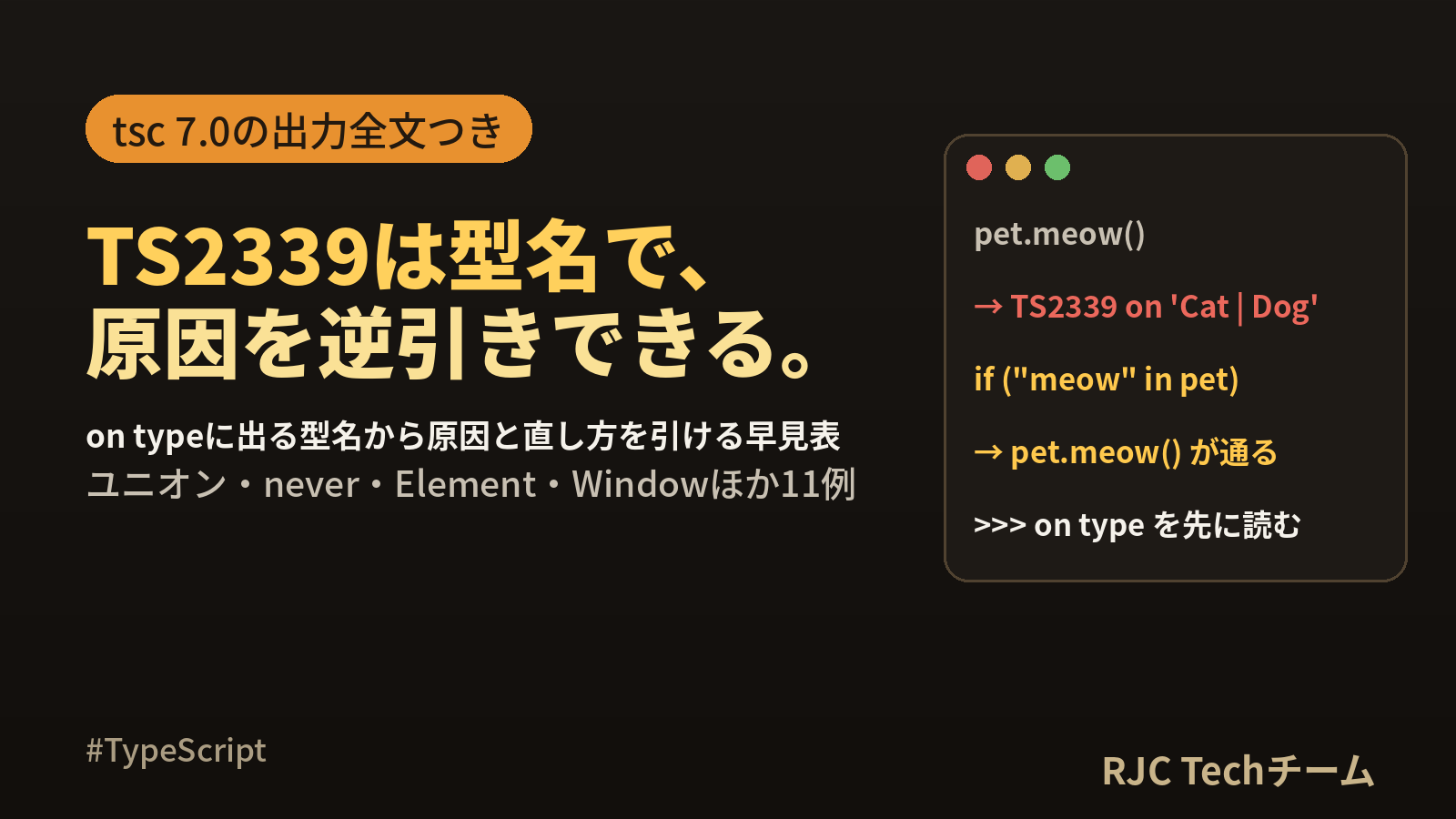
TS2339 とは、「その型には、その名前のプロパティが宣言されていない」と TypeScript が知らせるエラーです。 直し方は、エラー文の末尾にある on type '○○' の ○○ を見ればほぼ決まります。○○ が Cat | Dog ならユニオン型の絞り込み、never なら絞り込みの行き過ぎ、Element なら DOM の型の指定、というように、型名がそのまま原因の手がかりになります。
この記事では、○○ の型名から原因と直し方を引ける早見表を軸に、11 パターンを最小コードで再現し、tsc の出力全文と、修正後にエラー 0 件になるコードを並べます。似た番号の TS2551・TS2550・TS7053 との違いと、TypeScript 5.9/6.0/7.0 で結果が変わる点も実際に比べました。
確認環境:Ubuntu 24.04、Node.js 22.22.2、TypeScript 7.0.2(比較用に 6.0.3 と 5.9.3)。エラー文はすべて npx tsc --noEmit の出力です。
TS2339 の早見表(on type の型名から原因を引く)
エラー文は次の形をしています。見る場所は 3 つ(位置・プロパティ名・型名)です。
c01.ts(6,14): error TS2339: Property 'meow' does not exist on type 'Cat | Dog'.
  Property 'meow' does not exist on type 'Dog'.
c01.ts(6,14):ファイル名と(行, 列)'meow':読もうとしたプロパティ名'Cat | Dog':TypeScript がその時点で認識している型。2 行目は「ユニオンのうち、どのメンバーに無いか」の補足
| on type に出る型 | 主な原因 | 直し方 |
|---|---|---|
'A | B'(ユニオン) |
片方の型にしか無いプロパティを読んだ | in・判別用プロパティ・型述語(is)で絞り込む |
'{}' |
空オブジェクトで初期化し、後からプロパティを足した | 最初に全部書く/型注釈・Partial・Record を付ける |
'never' |
絞り込みで候補が残っていない(コールバック内の代入、全分岐の処理後) | find などで戻り値として受け取る/never は網羅チェックに使う |
'object' |
object 型はプロパティ情報を持たない |
in で絞る/具体的な型にする |
'unknown' |
strict が無効のときの unknown(strict 有効時は TS18046) |
型述語や typeof で絞り込む |
'Element' |
querySelector に id やクラスのセレクタを渡した |
型引数 querySelector<HTMLInputElement> か instanceof |
'EventTarget' |
e.target をそのまま使った |
e.target instanceof HTMLInputElement で絞る |
'HTMLElement' |
getElementById の戻り値で value などを読んだ |
instanceof HTMLInputElement で絞る |
'Window & typeof globalThis' |
window.xxx に独自の値を置いた |
declare global で Window を拡張する |
'string'・'number[]' など組み込み型 |
名前が違う/そのメソッドが無い | 正しい名前にする(候補があれば TS2551、lib 不足なら TS2550 が出る) |
'User[]' |
配列に対して要素のプロパティを読んだ | users[0]?.name や map を使う |
'Promise<User>' |
await を付けていない |
(await fetchUser()).name |
'typeof Counter' |
クラス自体からインスタンスのプロパティを読んだ | new したインスタンスから読む |
'T' |
型引数に制約が無い | T extends { id: number } と制約を付ける |
'User' など自分の型 |
型定義にそのプロパティが無い/名前の打ち間違い | 型定義に追加する(省略可能なら email?: string) |
'{ red: number[]; ... }'(オブジェクトリテラルの型) |
推論された型に無いキーを読んだ | キーを追加する/Record で注釈する |
本記事の内容は、ご自由にお使いください。
ご利用の際は、出典として本ページへのリンクを記載いただけますようお願いします。
(記載例)出典:株式会社RJC「TS2339「プロパティは型に存在しません」原因別の直し方一覧」
再現に使う tsconfig.json とコマンド
以降の例はすべて次の設定で確認しています。DOM の型を使うため lib に dom を入れています。
{
  "compilerOptions": {
    "target": "es2022",
    "module": "esnext",
    "moduleResolution": "bundler",
    "lib": ["es2022", "dom"],
    "strict": true,
    "noEmit": true,
    "types": []
  },
  "include": ["*.ts"]
}
npm i -D typescript@latest
npx tsc --version      # Version 7.0.2
npx tsc --noEmit
npx tsc --noEmit --locale ja   # 日本語のメッセージで見たいとき
--locale ja を付けると、同じエラーが日本語で出ます。検索するときは英語と日本語のどちらでも同じ番号です。
c01.ts(6,14): error TS2339: プロパティ 'meow' は型 'Cat | Dog' に存在しません。
  プロパティ 'meow' は型 'Dog' に存在しません。
c02.ts(2,6): error TS2339: プロパティ 'name' は型 '{}' に存在しません。
c03.ts(9,21): error TS2339: プロパティ 'name' は型 'never' に存在しません。
c04.ts(2,12): error TS2339: プロパティ 'id' は型 'object' に存在しません。
c06.ts(2,16): error TS2339: プロパティ 'value' は型 'Element' に存在しません。
c07.ts(1,8): error TS2339: プロパティ 'appConfig' は型 'Window & typeof globalThis' に存在しません。
ユニオン型:片方にしか無いプロパティを読む(on type 'A | B')
ユニオン型では、すべてのメンバーに共通するプロパティだけがそのまま読めます。name は両方にあるので読めますが、meow は Dog に無いためエラーになります。
// c01.ts
type Cat = { name: string; meow(): string };
type Dog = { name: string; bark(): string };

export function speak(pet: Cat | Dog) {
  console.log(pet.name);
  return pet.meow();
}
c01.ts(6,14): error TS2339: Property 'meow' does not exist on type 'Cat | Dog'.
  Property 'meow' does not exist on type 'Dog'.
直し方は「どちらの型かを確かめてから読む」(絞り込み)です。3 通りを 1 ファイルにまとめました。
// f01.ts
type Cat = { kind: "cat"; name: string; meow(): string };
type Dog = { kind: "dog"; name: string; bark(): string };
type Pet = Cat | Dog;

// 1. in 演算子:そのプロパティを持つ側に絞る
function speakIn(pet: Pet) {
  if ("meow" in pet) return pet.meow();
  return pet.bark();
}

// 2. 判別可能ユニオン:共通の kind で分ける
function speakKind(pet: Pet) {
  switch (pet.kind) {
    case "cat":
      return pet.meow();
    case "dog":
      return pet.bark();
  }
}

// 3. 型述語(is):判定を関数に切り出す
function isCat(pet: Pet): pet is Cat {
  return pet.kind === "cat";
}
function speakIs(pet: Pet) {
  return isCat(pet) ? pet.meow() : pet.bark();
}

const tama: Cat = { kind: "cat", name: "tama", meow: () => "nyaa" };
const pochi: Dog = { kind: "dog", name: "pochi", bark: () => "wan" };
console.log(speakIn(tama), speakIn(pochi));
console.log(speakKind(tama), speakKind(pochi));
console.log(speakIs(tama), speakIs(pochi));
npx tsc --noEmit はエラー 0 件で、node f01.ts の結果は次のとおりです。
nyaa wan
nyaa wan
nyaa wan
| 絞り込み方 | 向いている場面 | 型定義の変更 |
|---|---|---|
"meow" in pet |
型定義を変えられない、1 か所だけで判定する | 不要 |
判別用プロパティ(kind) |
自分で型を設計できる、メンバーが 3 つ以上に増える | kind を追加 |
型述語(pet is Cat) |
同じ判定を何度も使う、filter に渡す |
不要(関数を 1 つ足す) |
空オブジェクトにプロパティを後付けする(on type '{}')
const user = {} と書くと、型は「プロパティを 1 つも持たないオブジェクト」として決まります。JavaScript では後から足せますが、TypeScript は宣言時の型で検査します。
// c02.ts
const user = {};
user.name = "sato";
export { user };
c02.ts(2,6): error TS2339: Property 'name' does not exist on type '{}'.
// f02.ts
// A. 最初から全部書く(型は推論される)
const userA = { name: "sato" };

// B. 型を先に決める
type User = { name: string; age?: number };
const userB: User = { name: "sato" };
userB.age = 30;

// C. 段階的に組み立てるなら Partial
const draft: Partial<User> = {};
draft.name = "sato";

// D. キーが決まっていないなら Record
const scores: Record<string, number> = {};
scores.math = 80;

console.log(userA, userB, draft, scores);
export {};
{ name: 'sato' } { name: 'sato', age: 30 } { name: 'sato' } { math: 80 }
キーが決まっているなら A か B、組み立て途中の状態を表すなら C、キーが実行時に決まるなら D を選びます。
絞り込みの結果が never になる(on type 'never')
never は「ここに来る値は無い」という型です。TS2339 で never が出たら、TypeScript が「この変数はここでは値を持ちえない」と判断していることを意味します。よく出会うのは次の 2 つです。
// c03.ts
type User = { id: number; name: string };
const users: User[] = [{ id: 1, name: "sato" }];

let found: User | null = null;
users.forEach((u) => {
  if (u.id === 1) found = u;
});
if (found) {
  console.log(found.name);
}

export function label(v: string | number) {
  if (typeof v === "string") return v.toUpperCase();
  if (typeof v === "number") return v.toFixed(1);
  return v.length;
}
c03.ts(9,21): error TS2339: Property 'name' does not exist on type 'never'.
c03.ts(15,12): error TS2339: Property 'length' does not exist on type 'never'.
- 9 行目:
let found: User | null = nullの直後、TypeScript はfoundをnullに絞り込みます。forEachのコールバック内の代入は、この絞り込みに反映されません。そのためif (found)の中は「nullなのに真」という候補なしの状態、つまりneverになります。 - 15 行目:
stringとnumberの両方を処理し終えたので、残りはneverです。
// f03.ts
type User = { id: number; name: string };
const users: User[] = [{ id: 1, name: "sato" }];

// A. コールバックで代入せず、戻り値で受け取る
const found = users.find((u) => u.id === 1);
if (found) {
  console.log(found.name);
}

// B. forEach のまま書くなら、型を断定して絞り込みをやり直す
let hit = null as User | null;
users.forEach((u) => {
  if (u.id === 1) hit = u;
});
if (hit) {
  console.log(hit.name);
}

// C. 全部の型を処理し終えた後の never は、網羅チェックに使う
function label(v: string | number) {
  if (typeof v === "string") return v.toUpperCase();
  if (typeof v === "number") return v.toFixed(1);
  const rest: never = v;
  throw new Error(`unexpected: ${String(rest)}`);
}
console.log(label("a"), label(2));
export {};
sato
sato
A 2.0
B の null as User | null は、初期値による null への絞り込みを起こさないための書き方です。まずは A のように、値を戻り値で受け取る形に直せないかを考えると、コードも短くなります。
object 型・unknown 型・JSON の戻り値(on type 'object')
JSON.parse の戻り値は any です。any はどんなプロパティでも読めるので、名前を打ち間違えても TS2339 は出ません。受け取る変数の型によって、出るエラーが変わります。
// c05.ts
const raw = '{"id":1,"name":"sato"}';
const a = JSON.parse(raw);
console.log(a.nmae);

const b: unknown = JSON.parse(raw);
console.log(b.name);

if (typeof b === "object" && b !== null) {
  console.log(b.name);
}

type User = { id: number; name: string };
const c: User = JSON.parse(raw);
console.log(c.email);
c05.ts(6,13): error TS18046: 'b' is of type 'unknown'.
c05.ts(9,17): error TS2339: Property 'name' does not exist on type 'object'.
c05.ts(14,15): error TS2339: Property 'email' does not exist on type 'User'.
| 行 | 受け取り方 | 結果 |
|---|---|---|
| 3 | 注釈なし(any) |
nmae の打ち間違いでもエラーなし。実行すると undefined |
| 6 | unknown |
TS18046。絞り込むまで何も読めない |
| 9 | typeof b === "object" で絞った後 |
型は object。プロパティ情報が無いので TS2339 |
| 14 | User と注釈 |
User に無い email で TS2339 |
function getId(o: object) { return o.id; } のように引数を object にした場合も、同じく on type 'object' になります。
c04.ts(2,12): error TS2339: Property 'id' does not exist on type 'object'.
直すには、in 演算子でプロパティの存在を確かめます。"id" in v が真の分岐では、v.id が unknown として読めるようになります。
// f05.ts
const raw = '{"id":1,"name":"sato"}';
type User = { id: number; name: string };

// 型述語で「User の形かどうか」を実行時に確かめる
function isUser(v: unknown): v is User {
  return (
    typeof v === "object" &&
    v !== null &&
    "id" in v &&
    typeof v.id === "number" &&
    "name" in v &&
    typeof v.name === "string"
  );
}

const data: unknown = JSON.parse(raw);
if (isUser(data)) {
  console.log(data.name.toUpperCase());
}

// object 型のまま 1 つだけ読みたいときは in で絞る
function getId(o: object) {
  return "id" in o ? o.id : undefined;
}
console.log(getId({ id: 7 }), getId({}));
export {};
SATO
7 undefined
const c: User = JSON.parse(raw) は手軽ですが、中身が本当に User の形かどうかは確かめていません。外から来るデータは unknown で受けて型述語で確かめると、型と実際の値がずれにくくなります。
DOM 要素:Element・EventTarget・HTMLElement(on type 'Element')
value を持つのは HTMLInputElement などの具体的な要素の型です。querySelector("#name") はセレクタ文字列から要素の種類を判断できないため、戻り値は Element | null になります。
// c06.ts
const el = document.querySelector("#name");
console.log(el.value);

document.addEventListener("input", (e) => {
  console.log(e.target.value);
});

const div = document.getElementById("box");
div.value = "x";
c06.ts(2,13): error TS18047: 'el' is possibly 'null'.
c06.ts(2,16): error TS2339: Property 'value' does not exist on type 'Element'.
c06.ts(5,15): error TS18047: 'e.target' is possibly 'null'.
c06.ts(5,24): error TS2339: Property 'value' does not exist on type 'EventTarget'.
c06.ts(9,1): error TS18047: 'div' is possibly 'null'.
c06.ts(9,5): error TS2339: Property 'value' does not exist on type 'HTMLElement'.
1 か所につき 2 件ずつ出ています。TS18047 は「要素が見つからず null かもしれない」、TS2339 は「見つかっても、その型に value が無い」という別々の指摘です。両方を一度に片づける書き方が次です。
// f06.ts
// A. タグ名のセレクタなら型が決まる
const input1 = document.querySelector("input");
console.log(input1?.value);

// B. id やクラスで探すときは型引数で伝える
const input2 = document.querySelector<HTMLInputElement>("#name");
console.log(input2?.value);

// C. instanceof で実行時にも確かめる(いちばん確実)
const el = document.getElementById("name");
if (el instanceof HTMLInputElement) {
  el.value = "sato";
}

// D. イベントは target を instanceof で絞る
document.addEventListener("input", (e) => {
  if (e.target instanceof HTMLInputElement) {
    console.log(e.target.value);
  }
});
このファイルは npx tsc --noEmit でエラー 0 件になります。
| 取得方法 | 戻り値の型 | value を読むには |
|---|---|---|
querySelector("input") |
HTMLInputElement | null |
?. を付けるだけ |
querySelector("#name") |
Element | null |
型引数か instanceof |
getElementById("name") |
HTMLElement | null |
instanceof(型引数は取れない) |
e.target |
EventTarget | null |
instanceof |
B の型引数は「この型のはず」という申告で、実行時の確認はしません。C の instanceof は null の確認と型の確認を同時に行えるので、迷ったら C が扱いやすい選択です。
window と globalThis に独自の値を置く(on type 'Window & typeof globalThis')
// c07.ts
window.appConfig = { debug: true };
console.log(window.appConfig.debug);
globalThis.appVersion = "1.0.0";
console.log(globalThis.appVersion);
export {};
c07.ts(1,8): error TS2339: Property 'appConfig' does not exist on type 'Window & typeof globalThis'.
c07.ts(2,20): error TS2339: Property 'appConfig' does not exist on type 'Window & typeof globalThis'.
c07.ts(3,12): error TS7017: Element implicitly has an 'any' type because type 'typeof globalThis' has no index signature.
c07.ts(4,24): error TS7017: Element implicitly has an 'any' type because type 'typeof globalThis' has no index signature.
window. では TS2339、globalThis. では番号が変わって TS7017 になります。直し方はどちらも「グローバルの型に宣言を足す」です。次の宣言ファイルを include の範囲に置きます。
// global.d.ts
export {};

declare global {
  interface Window {
    appConfig: { debug: boolean };
  }
  var appVersion: string;
}
// f07.ts
window.appConfig = { debug: true };
console.log(window.appConfig.debug);
globalThis.appVersion = "1.0.0";
console.log(globalThis.appVersion, window.appVersion);
export {};
これでエラー 0 件になります。ポイントは 3 つです。
interface Windowは既存の宣言と合成されるので、足したいプロパティだけを書くglobalThis.xxxで読みたい値はvarで宣言する(varで宣言したものはwindow.xxxからも読める)export {}を書いてファイルをモジュールにし、その中でdeclare globalを使う
組み込み型で出るとき:TS2551・TS2550 との見分け(on type 'string')
string や配列で「存在しません」と出るときは、番号が 3 通りに分かれます。lib を es2020 にして確かめました。
// c08.ts
const s: string = "a-b-c";
console.log(s.lenght);
console.log(s.size);
console.log(s.replaceAll("-", "+"));
console.log([1, 2, 3].at(-1));
console.log([3, 1, 2].toSorted());
const o = { a: 1 };
const k: string = "a";
console.log(o[k]);
c08.ts(2,15): error TS2551: Property 'lenght' does not exist on type 'string'. Did you mean 'length'?
c08.ts(3,15): error TS2339: Property 'size' does not exist on type 'string'.
c08.ts(4,15): error TS2550: Property 'replaceAll' does not exist on type 'string'. Do you need to change your target library? Try changing the 'lib' compiler option to 'es2021' or later.
c08.ts(5,23): error TS2550: Property 'at' does not exist on type 'number[]'. Do you need to change your target library? Try changing the 'lib' compiler option to 'es2022' or later.
c08.ts(6,23): error TS2550: Property 'toSorted' does not exist on type 'number[]'. Do you need to change your target library? Try changing the 'lib' compiler option to 'es2023' or later.
c08.ts(9,13): error TS7053: Element implicitly has an 'any' type because expression of type 'string' can't be used to index type '{ a: number; }'.
  No index signature with a parameter of type 'string' was found on type '{ a: number; }'.
| 番号 | メッセージの特徴 | 意味 | 直し方 |
|---|---|---|---|
| TS2339 | does not exist on type で終わる |
その型に無い。似た名前の候補も無い | 型名から原因を引く(この記事の早見表) |
| TS2551 | 末尾に Did you mean 'length'? |
似た名前のプロパティがある(打ち間違いの可能性が高い) | 候補の名前に直す |
| TS2550 | 末尾に Try changing the 'lib' compiler option to 'es2021' or later. |
新しい版の ECMAScript で追加されたメソッドで、lib に含まれていない |
lib(または target)をメッセージの値以上にする |
| TS7053 | can't be used to index type |
obj[key] のブラケット記法で、キーの型が広すぎる |
keyof typeof obj などでキーの型を狭める |
| TS7017 | has no index signature(typeof globalThis) |
globalThis.xxx が未宣言 |
declare global { var xxx: 型 } |
| TS2576 | Did you mean to access the static member |
インスタンスから static メンバーを読んだ | クラス名.メンバー で読む |
| TS18046 | is of type 'unknown' |
unknown を絞り込まずに使った |
typeof・in・型述語で絞る |
| TS18047 | is possibly 'null' |
null の可能性が残っている | ?. や if で確かめる |
lib を ["es2022", "dom"] にすると、4 行目と 5 行目の TS2550 は消え、toSorted(es2023)だけが残りました。TS2550 はコードではなく tsconfig.json を直すエラーです。
配列・Promise・クラス・型引数で出るとき
「値の入れ物」に対して中身のプロパティを読むと、入れ物の型名が on type に出ます。
// c10.ts
type User = { id: number; name: string };
declare function fetchUser(): Promise<User>;
declare const users: User[];

console.log(users.name);
console.log(fetchUser().name);

class Counter {
  static created = 0;
  count = 0;
}
const c = new Counter();
console.log(c.created);
console.log(Counter.count);

export function pick<T>(v: T) {
  return v.id;
}
c10.ts(5,19): error TS2339: Property 'name' does not exist on type 'User[]'.
c10.ts(6,25): error TS2339: Property 'name' does not exist on type 'Promise<User>'.
c10.ts(13,15): error TS2576: Property 'created' does not exist on type 'Counter'. Did you mean to access the static member 'Counter.created' instead?
c10.ts(14,21): error TS2339: Property 'count' does not exist on type 'typeof Counter'.
c10.ts(17,12): error TS2339: Property 'id' does not exist on type 'T'.
// f10.ts
type User = { id: number; name: string };
declare function fetchUser(): Promise<User>;
declare const users: User[];

console.log(users[0]?.name, users.map((u) => u.name));
console.log((await fetchUser()).name);

class Counter {
  static created = 0;
  count = 0;
}
const c = new Counter();
console.log(Counter.created, c.count);

export function pick<T extends { id: number }>(v: T) {
  return v.id;
}
| on type | 読み替え | 直し方 |
|---|---|---|
'User[]' |
配列そのもの | 添字か map・find で要素を取り出す |
'Promise<User>' |
まだ結果が届いていない | await を付ける(または .then) |
'typeof Counter' |
クラスそのもの(コンストラクタ) | インスタンスのプロパティは new した値から読む |
'T' |
何でも入る型引数 | extends で必要なプロパティを制約にする |
このファイルは declare で外部の関数と配列を仮置きしているため、型チェック(エラー 0 件)だけを確認しています。
satisfies で「広すぎる注釈」による TS2339 を防ぐ
型注釈を付けると、変数の型は注釈した型そのものになり、値から推論された細かい情報は使われません。
// c14.ts
type Color = string | number[];
const palette: Record<string, Color> = {
  red: [255, 0, 0],
  green: "#00ff00",
};
console.log(palette.red.map((n) => n * 2));
console.log(palette.blue.toString());

const palette2 = {
  red: [255, 0, 0],
  green: "#00ff00",
} satisfies Record<string, Color>;
console.log(palette2.red.map((n) => n * 2));
console.log(palette2.blue);
c14.ts(6,25): error TS2339: Property 'map' does not exist on type 'Color'.
  Property 'map' does not exist on type 'string'.
c14.ts(6,30): error TS7006: Parameter 'n' implicitly has an 'any' type.
c14.ts(14,22): error TS2339: Property 'blue' does not exist on type '{ red: number[]; green: string; }'.
| 書き方 | palette.red の型 |
存在しない blue を読む |
|---|---|---|
: Record<string, Color>(注釈) |
Color(map は TS2339) |
エラーにならない(7 行目は検出されない) |
satisfies Record<string, Color> |
number[](map が使える) |
TS2339 で検出される |
satisfies は「この型に合っているか」を検査しつつ、変数の型は値から推論したまま残します。設定オブジェクトや定数の表では、注釈を satisfies に替えるだけで 6 行目のエラーが消え、キーの打ち間違いも見つかるようになります。
// f14.ts
type Color = string | number[];
const palette = {
  red: [255, 0, 0],
  green: "#00ff00",
} satisfies Record<string, Color>;

console.log(palette.red.map((n) => n * 2));
console.log(palette.green.toUpperCase());
export {};
[ 510, 0, 0 ]
#00FF00
strict の有無と TypeScript 5.9/6.0/7.0 での違い
同じ tsconfig.json(上記)で 3 つの版にかけたところ、この記事の全ケースで、エラーの番号・位置・文面は 5.9.3/6.0.3/7.0.2 とも同一でした。違いが出るのは、設定を省いたときの既定値です。
tsconfig.json を使わずに tsc --noEmit c03.ts c05.ts c08.ts とファイルを直接渡して比べました。
| ケース | 5.9.3(設定なし) | 6.0.3/7.0.2(設定なし) |
|---|---|---|
c03 の 9 行目(found.name) |
エラーなし | TS2339 on type 'never' |
c05 の 6 行目(unknown の b.name) |
TS2339 on type 'unknown' |
TS18046 'b' is of type 'unknown' |
c08 の replaceAll・at・toSorted |
3 つとも TS2550 | エラーなし |
- 5.9.3 は設定なしだと strict が無効で、6.0.3 と 7.0.2 は有効でした。
on type 'never'と TS18046 は strict(strictNullChecks)が有効なときの表示です。 - 5.9.3 で出た TS2550 が 6.0.3/7.0.2 で出ないのは、設定なしのときに読み込まれる標準ライブラリの版が新しくなったためです。
7.0.2 で --strict false を付けて全ケースを流すと、次の点が変わりました。
| strict: true | strict: false |
|---|---|
c03 9 行目:TS2339 on type 'never' |
エラーなし(null が型から除かれ、絞り込みが起きない) |
| c05 6 行目:TS18046 | TS2339 on type 'unknown' |
| c06:TS18047 と TS2339 の 2 件ずつ | TS2339 だけ |
c07 の globalThis.appVersion:TS7017 |
エラーなし(暗黙の any) |
もう 1 つ、6.0.3 と 7.0.2 では、tsconfig.json があるフォルダでファイル名を直接渡すと次のエラーで止まります。5.9.3 ではこのエラーは出ず、tsconfig.json を読まずにそのままチェックが進みました。
error TS5112: tsconfig.json is present but will not be loaded if files are specified on commandline. Use '--ignoreConfig' to skip this error.
「人によってエラーの出方が違う」ときは、npx tsc --version と、tsconfig.json が読まれているかを最初に確かめると切り分けが早く進みます。
TS2339 を見たときの確認手順
on type '○○'の ○○ を読む。早見表の行を特定する。- ○○ が自分で書いた型なら、型定義とプロパティ名のつづりを見比べる(候補があれば TS2551 になっている)。
- ○○ がユニオン・
object・Elementなど「広い型」なら、in・typeof・instanceof・判別用プロパティで絞り込む。 - ○○ が
neverなら、その変数への代入がコールバックの中にないか、分岐をすべて処理し終えた後でないかを見る。 - ○○ が
'{}'や推論されたオブジェクトリテラルの型なら、宣言時に型を与える。 asやanyで通す前に、上の 1〜5 で直せないかを確かめる。asは検査を省く書き方なので、実行時の値とずれても気づけなくなる。
よくある質問
Q. (obj as any).prop と書けばエラーは消えますが、使ってよいですか?
A. エラーは消えますが、その行以降の型チェックも働かなくなります。in での絞り込みや型定義の追加で直せる場面がほとんどなので、まず on type の型名から原因を確かめるのがおすすめです。どうしても一時的に通したいときは、範囲が 1 行で済む // @ts-expect-error のほうが後で見つけやすくなります。
Q. obj.prop は TS2339 なのに、obj["prop"] だとエラー番号が変わるのはなぜですか?
A. ドット記法は「その名前のプロパティが宣言されているか」を調べ、ブラケット記法に string 型の変数を渡した場合は「その型のキーで添字アクセスできるか」を調べるためです。後者は TS7053 になり、キーの型を keyof typeof obj などに狭めて直します。
Q. インデックスシグネチャのある型では TS2339 は出ますか?
A. 出ません。type Config = { [key: string]: string } の値に対して conf.port と書いても、7.0.2 ではエラーなしでした。存在しないキーも読めてしまうので、noUncheckedIndexedAccess を有効にすると 'conf.port' is possibly 'undefined'(TS18048)として知らせてくれます。
Q. エディタではエラーが出ないのに、tsc では TS2339 が出ます。
A. エディタと tsc で TypeScript の版や tsconfig.json が違う可能性があります。上の比較のとおり、strict の既定値は 5.9.3 と 6.0.3 以降で異なりました。npx tsc --version と、npx tsc --showConfig で実際に使われている設定を確かめてください。
まとめ
- TS2339 は
on type '○○'の型名を読めば、原因がほぼ特定できる - ユニオン型は
in・判別用プロパティ・型述語(is)のどれかで絞り込んでから読む '{}'は宣言時に型を与える。'never'はコールバック内の代入と、全分岐の処理後を確かめる'Element'・'EventTarget'・'HTMLElement'はinstanceof HTMLInputElementで null と型を同時に確かめるwindow.xxxはdeclare globalのinterface Window、globalThis.xxx(TS7017)はvar宣言で拡張する- TS2551 は打ち間違い、TS2550 は lib の不足、TS7053 はブラケット記法のキーの型と、番号で直す場所が変わる
- 同じ tsconfig.json なら 5.9.3/6.0.3/7.0.2 で結果は同じ。設定なしのときは strict の既定値の違いで表示が変わる
本記事の内容は、ご自由にお使いください。
ご利用の際は、出典として本ページへのリンクを記載いただけますようお願いします。
(記載例)出典:株式会社RJC「TS2339「プロパティは型に存在しません」原因別の直し方一覧」
株式会社RJC ― SI事業・SES事業・AI駆動開発。RJCは一緒に成長を楽しめる会社です。
WE ARE HIRING
RJCで一緒に開発しながら、
成長を楽しみませんか?
RJCは、Web・モバイル・AIを活用した開発プロジェクトで、テックリードやPM・PMOも活躍するシステム開発会社です。会社を知る、待遇を確かめる、話を聞いてみる。気になるところ見てみてください!
- 127日年間休日
- 12時間平均残業時間
- 毎日ガチャ遊びココロも大切にする福利厚生。アマギフなどの賞品ラインナップ!
ほかにも、チケットレストラン、書籍読み放題、2年ごとの慰労報奨(休暇 or 金一封)、11期連続の黒字決算。