- TypeScript
TS18048・TS2532「undefinedの可能性」原因別の直し方


TS18048とTS2532は、undefined かもしれない値のプロパティを読もうとしたときに出るTypeScriptのエラーです。 違いは主語で、変数名やプロパティ名を示せるときは TS18048('x' is possibly 'undefined'.)、関数の戻り値のように名前のない式のときは TS2532(Object is possibly 'undefined'.)になります。null の場合は TS18047 と TS2531 です。
この記事は、エラー番号と原因から直し方を引くための逆引きです。まず6つの番号の文言と出る条件を一覧にし、次に7つの原因を1つずつ再現して tsc の出力全文を載せます。最後に、if・?.・??・早期 return・! の5つの直し方を、値が実際に undefined だったときの動きを実行して比べます。
確認環境:Ubuntu 24.04 / Node.js 22.22.2 / TypeScript 7.0.2(npx tsc --version の表示は Version 7.0.2)。ブラウザでの動作は Playwright 1.56.0 と Chromium 141 で確かめました。TypeScript 5.9.3 と 6.0.3 でも同じファイルを検査し、この記事のエラー出力は3つの版で一致しました。
エラー番号の早見表(文言と出る条件)
| 番号 | 英語のエラー文 | 日本語のエラー文(--locale ja) |
出る条件 |
|---|---|---|---|
| TS18048 | 'x' is possibly 'undefined'. | 'x' は 'undefined' の可能性があります。 | 名前のある変数・プロパティが undefined を含む |
| TS18047 | 'x' is possibly 'null'. | 'x' は 'null' の可能性があります。 | 名前のある変数・プロパティが null を含む |
| TS18049 | 'x' is possibly 'null' or 'undefined'. | 'x' は 'null' か 'undefined' の可能性があります。 | 名前のある変数・プロパティが両方を含む |
| TS2532 | Object is possibly 'undefined'. | オブジェクトは 'undefined' である可能性があります。 | 名前のない式(関数の戻り値、添字アクセス)が undefined を含む |
| TS2531 | Object is possibly 'null'. | オブジェクトは 'null' である可能性があります。 | 名前のない式が null を含む |
| TS2533 | Object is possibly 'null' or 'undefined'. | オブジェクトは 'null' か 'undefined' である可能性があります。 | 名前のない式が両方を含む |
| TS2722 | Cannot invoke an object which is possibly 'undefined'. | 'undefined' の可能性があるオブジェクトを呼び出すことはできません。 | undefined かもしれない関数を呼び出した |
18000番台は「どの変数か」を名前で教えてくれる形、2500番台は名前を示せない式に対する形です。原因と直し方は同じなので、番号の違いで対応を変える必要はありません。
原因の早見表(どこから undefined が来るか)
| 原因 | 出る番号(今回の出力) | 直し方 |
|---|---|---|
省略可能なプロパティ(address?:) |
TS18048 | if で絞り込む/?. と ?? |
| find の戻り値 | TS18048(変数)/TS2532(直接つなげた場合) | 変数に受けて、見つからない場合を分ける |
| Map の get | TS2532 | get の結果を変数に受けて調べる(has では絞り込まれない) |
| 配列の添字(noUncheckedIndexedAccess) | TS2532/TS18048 | for...of を使う/変数に受けて調べる |
| querySelector・getElementById | TS18047/TS2531 | if で調べる/?. |
| 正規表現の match・exec | TS18047 | if で null を分ける/?.[1] |
| コールバックの中で絞り込みが消える | TS18048 | 絞り込んだ値を const に取り出す |
| 省略可能な関数を呼ぶ | TS2722 | onSave?.() |
本記事の内容は、ご自由にお使いください。
ご利用の際は、出典として本ページへのリンクを記載いただけますようお願いします。
(記載例)出典:株式会社RJC「TS18048・TS2532「undefinedの可能性」原因別の直し方」
6つの番号を1つのファイルで再現する
確認に使った tsconfig.json です。strict に加えて、配列の添字の節で使う noUncheckedIndexedAccess を有効にしています。
{
  "compilerOptions": {
    "target": "es2022",
    "module": "nodenext",
    "strict": true,
    "noUncheckedIndexedAccess": true,
    "noEmit": true,
    "lib": ["es2022", "dom"],
    "types": []
  }
}
type Profile = { address?: { city: string }; onSave?: () => void };
declare const profile: Profile;
declare const maybe: { city: string } | undefined;
declare const nullable: { city: string } | null;
declare const both: { city: string } | null | undefined;
declare function load(): { city: string } | undefined;
declare function loadNull(): { city: string } | null;
declare function loadBoth(): { city: string } | null | undefined;
declare const callback: (() => void) | undefined;

maybe.city;            // 変数 + undefined
nullable.city;         // 変数 + null
both.city;             // 変数 + null と undefined
profile.address.city;  // プロパティ + undefined
load().city;           // 式 + undefined
loadNull().city;       // 式 + null
loadBoth().city;       // 式 + null と undefined
callback();            // 関数かもしれない変数を呼ぶ
profile.onSave();      // 省略可能なメソッドを呼ぶ
npx tsc --noEmit -p . の出力です。
00-codes.ts(11,1): error TS18048: 'maybe' is possibly 'undefined'.
00-codes.ts(12,1): error TS18047: 'nullable' is possibly 'null'.
00-codes.ts(13,1): error TS18049: 'both' is possibly 'null' or 'undefined'.
00-codes.ts(14,1): error TS18048: 'profile.address' is possibly 'undefined'.
00-codes.ts(15,1): error TS2532: Object is possibly 'undefined'.
00-codes.ts(16,1): error TS2531: Object is possibly 'null'.
00-codes.ts(17,1): error TS2533: Object is possibly 'null' or 'undefined'.
00-codes.ts(18,1): error TS2722: Cannot invoke an object which is possibly 'undefined'.
00-codes.ts(19,1): error TS2722: Cannot invoke an object which is possibly 'undefined'.
14行目のように、profile.address というプロパティのつながりも名前として表示されます。15〜17行目の load() のような呼び出し結果は名前を付けられないため「Object」になります。
これらのエラーは strictNullChecks(strict に含まれる設定)が有効なときに出ます。--strictNullChecks false を付けて同じファイル群を検査すると、この記事の「possibly」のエラーはすべて出なくなりました。そのぶん実行時に初めて気づくことになるので、有効のまま直していく進め方をおすすめします。
原因1:省略可能なプロパティを読んでいる
type Member = { name: string; address?: { city: string } };

function cityOf(member: Member): string {
  return member.address.city;
}
01-optional.ts(4,10): error TS18048: 'member.address' is possibly 'undefined'.
address?: と書いたプロパティは、型に undefined が加わります。直し方は後半の「5つの直し方を比べる」で、同じ Member 型を使って示します。
原因2:find の戻り値を使っている
type Item = { id: number; name: string };
const items: Item[] = [{ id: 1, name: "ノート" }, { id: 2, name: "ペン" }];

const found = items.find((item) => item.id === 3);
console.log(found.name);
console.log(items.find((item) => item.id === 3).name);
02-find.ts(5,13): error TS18048: 'found' is possibly 'undefined'.
02-find.ts(6,13): error TS2532: Object is possibly 'undefined'.
find は、条件に合う要素がなければ undefined を返します。変数に受けると TS18048、そのままつなげると TS2532 と、同じ原因で番号だけが変わることが分かります。
原因3:Map の get の戻り値を使っている
const stock = new Map<string, { count: number }>([["ノート", { count: 5 }]]);

console.log(stock.get("ペン").count);

if (stock.has("ペン")) {
  console.log(stock.get("ペン").count);
}
03-map.ts(3,13): error TS2532: Object is possibly 'undefined'.
03-map.ts(6,15): error TS2532: Object is possibly 'undefined'.
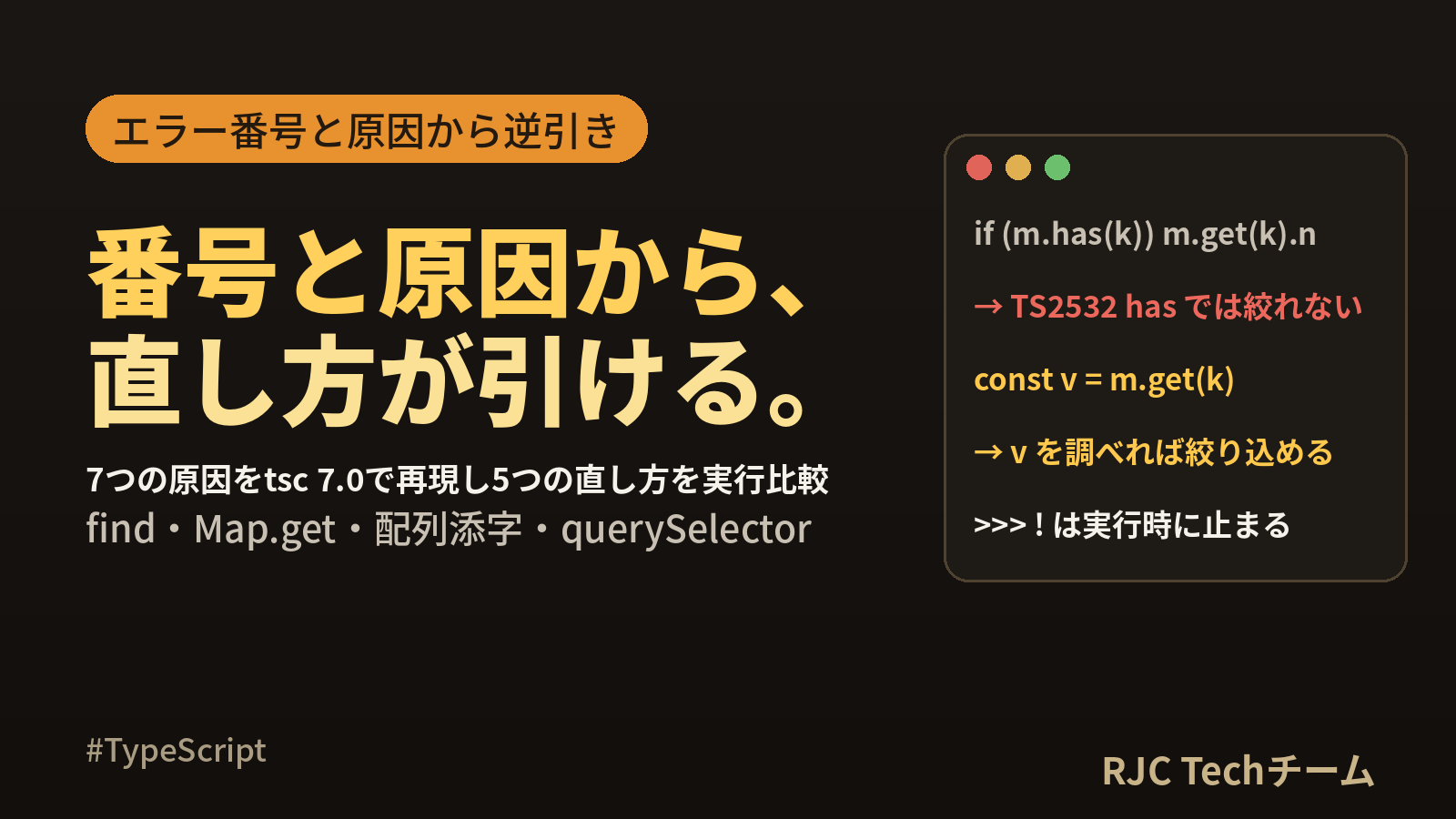
注目は6行目です。has で確かめたあとでも、get の戻り値は絞り込まれません。 has と get は別々のメソッド呼び出しで、TypeScript は2つの結果を結び付けないためです。get の結果を変数に受けて、その変数を調べます。
原因4:配列の添字で取り出している(noUncheckedIndexedAccess)
const names: string[] = ["田中", "佐藤"];
console.log(names[5].length);

const first = names[0];
console.log(first.length);

const byId: Record<string, { name: string }> = {};
console.log(byId["x"].name);

for (let i = 0; i < names.length; i++) {
  console.log(names[i].length);
}
04-index.ts(2,13): error TS2532: Object is possibly 'undefined'.
04-index.ts(5,13): error TS18048: 'first' is possibly 'undefined'.
04-index.ts(8,13): error TS2532: Object is possibly 'undefined'.
04-index.ts(11,15): error TS2532: Object is possibly 'undefined'.
これらは tsconfig の noUncheckedIndexedAccess を true にしたときだけ出ます。--noUncheckedIndexedAccess false で検査し直すと、このファイルのエラーは0件になりました。この設定は strict には含まれないため、自分で有効にする設定です。
有効にすると、添字アクセスの結果に undefined が加わります。11行目のように i < names.length で範囲を守っている for 文でもエラーになるので、添字が要らないループは for...of に書き換えるのが近道です。
原因5:querySelector・getElementById の戻り値を使っている
const title = document.querySelector("h1");
title.textContent = "更新しました";

const input = document.getElementById("keyword");
console.log(input.value);

document.querySelector(".box").classList.add("active");
05-dom.ts(2,1): error TS18047: 'title' is possibly 'null'.
05-dom.ts(5,13): error TS18047: 'input' is possibly 'null'.
05-dom.ts(5,19): error TS2339: Property 'value' does not exist on type 'HTMLElement'.
05-dom.ts(7,1): error TS2531: Object is possibly 'null'.
DOM の検索メソッドは、要素が見つからないと undefined ではなく null を返すので、番号は TS18047 と TS2531 になります。5行目の TS2339 は別の話で、getElementById の戻り値が HTMLElement 型のため value プロパティを持たない、という指摘です。
実際に h1 のないページで2行目を実行すると、Chromium では次の例外になりました。型検査のエラーは、この例外を事前に知らせてくれています。
Cannot set properties of null (setting 'textContent')
修正後のコードです。
const title = document.querySelector("h1");
if (title) {
  title.textContent = "更新しました";
}

// 型引数で要素の種類を伝えると value が使える
const input = document.querySelector<HTMLInputElement>("#keyword");
console.log(input?.value ?? "(入力欄なし)");

// 要素がなければ何もしない
document.querySelector(".box")?.classList.add("active");
console.log(document.querySelector("h1")?.textContent, document.querySelector(".box")?.className ?? "(.box なし)");
要素がそろったページと、何もないページの2つで実行した console の出力です。どちらも例外は出ません。
<h1>旧タイトル</h1><input id="keyword" value="ノート"><div class="box"></div>
ノート
更新しました box active
<p>何もないページ</p>
(入力欄なし)
undefined (.box なし)
原因6:正規表現の match・exec の戻り値を使っている
const text = "注文番号: A-1024";

const m = text.match(/([A-Z])-(\d+)/);
console.log(m[2]);

const named = text.match(/(?<prefix>[A-Z])-(?<num>\d+)/);
console.log(named.groups.num);

const r = /(\d+)/.exec(text);
console.log(r[1].length);
06-match.ts(4,13): error TS18047: 'm' is possibly 'null'.
06-match.ts(7,13): error TS18047: 'named' is possibly 'null'.
06-match.ts(7,13): error TS18048: 'named.groups' is possibly 'undefined'.
06-match.ts(10,13): error TS18047: 'r' is possibly 'null'.
06-match.ts(10,13): error TS2532: Object is possibly 'undefined'.
match と exec は、一致しなければ null を返します。さらに7行目では、名前付きキャプチャを入れる groups が undefined かもしれないという TS18048 が重なっています。10行目の TS2532 は noUncheckedIndexedAccess によるもので、r[1] というキャプチャの添字アクセスに対して出ています。
原因7:コールバックの中で絞り込みが消える
if で確かめたのにエラーが残る、という場面です。
type Task = { title: string; due?: Date };

function schedule(task: Task) {
  if (task.due) {
    setTimeout(() => {
      console.log(task.due.getTime());
    }, 0);
  }
}

function remind(due: Date | undefined) {
  if (!due) return;
  const print = () => console.log(due.getTime());
  print();
}

function remindLet(due: Date | undefined) {
  let d = due;
  if (!d) return;
  const print = () => console.log(d.getTime());
  d = undefined;
  print();
}

function viaFunction(task: Task) {
  if (task.due) {
    touch();
    console.log(task.due.getTime());
  }
}
function touch() {}
07-closure.ts(6,19): error TS18048: 'task.due' is possibly 'undefined'.
07-closure.ts(20,35): error TS18048: 'd' is possibly 'undefined'.
| 関数 | 結果 | 理由 |
|---|---|---|
| schedule | TS18048 | コールバックはあとで実行される。その間に task.due が書き換わるかもしれない |
| remind | エラーなし | 引数 due はどこでも再代入されていないので、コールバックの中でも絞り込みが保たれる |
| remindLet | TS18048 | d は21行目で再代入されている |
| viaFunction | エラーなし | 同じ関数の中で続けて読む場合は、間に関数呼び出しがあっても絞り込みが保たれる |
絞り込みが消えるのは「あとで実行される関数の中」で「書き換えられる可能性のある値」を読むときです。絞り込んだ値を const の変数に取り出すと解決します。
type Task = { title: string; due?: Date };

// 絞り込んだ値を const に取り出してからコールバックで使う
function schedule(task: Task) {
  const due = task.due;
  if (due) {
    setTimeout(() => {
      console.log(task.title, due.toISOString());
    }, 0);
  }
}

schedule({ title: "資料作成", due: new Date("2026-10-05T09:00:00Z") });
schedule({ title: "期限なし" });
資料作成 2026-10-05T09:00:00.000Z
TS2722:省略可能な関数を呼んでいる
早見表の最後の番号です。onSave?: () => void のような省略可能な関数は、?.() で「あれば呼ぶ」と書けます。
type Options = { onSave?: () => void };
function run(options: Options) {
  options.onSave?.();
  console.log("完了");
}
run({});
run({ onSave: () => console.log("保存しました") });
完了
保存しました
完了
5つの直し方を比べる(値が undefined だったらどう動くか)
型検査を通す書き方は5つあります。違いは、値が実際に undefined だったときの動きです。同じ Member 型で5つを書き、住所ありと住所なしの両方で実行しました。
type Member = { name: string; address?: { city: string } };

const withAddress: Member = { name: "田中", address: { city: "札幌" } };
const noAddress: Member = { name: "佐藤" };

// 1. if で絞り込む
function byIf(m: Member): string {
  if (m.address) {
    return m.address.city;
  }
  return "(住所なし)";
}

// 2. ?. … 途中が undefined なら、式全体が undefined になる
function byChain(m: Member): string | undefined {
  return m.address?.city;
}

// 3. ?? … undefined / null のときの既定値を決める
function byDefault(m: Member): string {
  return m.address?.city ?? "未登録";
}

// 4. 早期 return … 値がない場合を先に片づける
function byEarlyReturn(m: Member): string {
  if (!m.address) return "(住所なし)";
  return m.address.city;
}

// 5. ! … 検査を外すだけで、実行時の値は変わらない
function byBang(m: Member): string {
  return m.address!.city;
}

for (const [label, fn] of [
  ["if", byIf], ["?.", byChain], ["??", byDefault], ["早期return", byEarlyReturn], ["!", byBang],
] as const) {
  let absent: string;
  try {
    absent = String(fn(noAddress));
  } catch (e) {
    absent = `例外: ${(e as Error).name}: ${(e as Error).message}`;
  }
  console.log(`${label}\t値あり=${fn(withAddress)}\t値なし=${absent}`);
}
node compare.ts の出力です。
if  値あり=札幌  値なし=(住所なし)
?.  値あり=札幌  値なし=undefined
??  値あり=札幌  値なし=未登録
早期return    値あり=札幌  値なし=(住所なし)
!   値あり=札幌  値なし=例外: TypeError: Cannot read properties of undefined (reading 'city')
| 直し方 | 値なしのときの動き | 戻り値の型 | 向いている場面 |
|---|---|---|---|
| if | 自分で書いた分岐に進む | string | 値がないときに別の処理をしたい |
?. |
undefined がそのまま次へ流れる | string | undefined |
受け取る側が undefined を扱える |
??(?. と組み合わせ) |
既定値になる | string | 表示用の文字など、既定値が決まっている |
| 早期 return | 関数の先頭で抜ける | string | 以降の処理を深い入れ子にしたくない |
! |
TypeError で止まる | string | 直前の処理で値があると説明できる場所に限る |
?. は、undefined を消すのではなく先へ送る書き方です。戻り値の型に undefined が残るので、受け取った側でもう一度同じ種類のエラーに出会うことがあります。どこかで if か ?? を使って「値がないときの動き」を決めると、そこから先は undefined を気にせず書けます。
! は型検査だけを通し、実行時の値はそのままです。上の出力のとおり、値がなければ TypeError になります。
原因2〜6をまとめて直したコード
find、Map、配列の添字、match の修正をまとめた、そのまま実行できるコードです。
// find: 見つからない場合を先に分ける
type Item = { id: number; name: string };
const items: Item[] = [{ id: 1, name: "ノート" }, { id: 2, name: "ペン" }];
const found = items.find((item) => item.id === 3);
console.log(found ? found.name : "該当なし");

// Map.get: has ではなく、get の結果を変数に受けて調べる
const stock = new Map<string, { count: number }>([["ノート", { count: 5 }]]);
const pen = stock.get("ペン");
console.log(pen === undefined ? "在庫データなし" : pen.count);
console.log(stock.get("ノート")?.count ?? 0);

// 配列の添字: for...of か、変数に受けてから調べる
const names: string[] = ["田中", "佐藤"];
for (const name of names) {
  console.log(name.length);
}
const sixth = names[5];
console.log(sixth?.length ?? "要素なし");
console.log(names.at(-1)?.length);

// match: null を先に分け、キャプチャも ?? で受ける
const text = "注文番号: A-1024";
const m = text.match(/([A-Z])-(\d+)/);
if (m) {
  console.log(m[2] ?? "");
}
const named = text.match(/(?<prefix>[A-Z])-(?<num>\d+)/);
console.log(named?.groups?.num ?? "番号なし");
console.log("番号なしの文".match(/(\d+)/)?.[1] ?? "番号なし");
該当なし
在庫データなし
5
2
2
要素なし
2
1024
1024
番号なし
よくある質問
Q. TS18048 と TS2532 はどう違いますか?
A. 原因は同じで、表示の形が違います。found.name のように名前のある変数やプロパティなら TS18048('found' is possibly 'undefined'.)、items.find(...).name のように名前のない式なら TS2532(Object is possibly 'undefined'.)です。直し方も共通です。
Q. if で確かめたのに、まだ「possibly undefined」と出ます。 A. 主な理由は3つあります。あとで実行されるコールバックの中で読んでいる(const に取り出す)、Map の has で確かめて get を呼び直している(get の結果を変数に受ける)、配列の添字で毎回取り出している(変数に受けるか for...of にする)、のいずれかに当てはまらないか確認してください。
Q. 配列の添字でエラーになるのは、どの設定のためですか?
A. noUncheckedIndexedAccess です。strict には含まれない設定で、true にすると names[0] の型に undefined が加わります。今回の確認でも、この設定を false にすると添字のエラーは0件になりました。
Q. ! を付ければ消えますが、使ってよいですか?
A. 型検査は通りますが、値が実際に undefined なら TypeError で止まります。直前で値を作った直後など、値があると説明できる場所に限り、それ以外は if・??・早期 return のどれかで、値がないときの動きを決める書き方が向いています。
まとめ
- TS18048 / TS18047 / TS18049 は名前のある変数・プロパティ、TS2532 / TS2531 / TS2533 は名前のない式。原因と直し方は同じ
- undefined は省略可能プロパティ・find・Map.get・配列の添字から、null は querySelector・match から来る
- Map は has で確かめても get の戻り値は絞り込まれない。get の結果を変数に受ける
- 配列の添字のエラーは noUncheckedIndexedAccess を有効にしたときだけ出る。for...of にすると添字そのものが要らなくなる
- コールバックの中では、書き換えられる可能性のある値の絞り込みが消える。const に取り出して使う
?.は undefined を先へ送り、??は既定値に変え、!は検査を外すだけ。値がないときの動きを if・??・早期 return で決める- 省略可能な関数の呼び出し(TS2722)は
?.()で「あれば呼ぶ」と書ける
本記事の内容は、ご自由にお使いください。
ご利用の際は、出典として本ページへのリンクを記載いただけますようお願いします。
(記載例)出典:株式会社RJC「TS18048・TS2532「undefinedの可能性」原因別の直し方」
株式会社RJC ― SI事業・SES事業・AI駆動開発。RJCは一緒に成長を楽しめる会社です。
WE ARE HIRING
RJCで一緒に開発しながら、
成長を楽しみませんか?
RJCは、Web・モバイル・AIを活用した開発プロジェクトで、テックリードやPM・PMOも活躍するシステム開発会社です。会社を知る、待遇を確かめる、話を聞いてみる。気になるところ見てみてください!
- 127日年間休日
- 12時間平均残業時間
- 毎日ガチャ遊びココロも大切にする福利厚生。アマギフなどの賞品ラインナップ!
ほかにも、チケットレストラン、書籍読み放題、2年ごとの慰労報奨(休暇 or 金一封)、11期連続の黒字決算。