- TypeScript

TypeScript strictオプション一覧|各フラグのエラー例と段階導入


TypeScript の strict とは、型チェックを厳しくする9つのフラグをまとめて有効にする tsconfig.json のオプションです。 "strict": true と書くと noImplicitAny や strictNullChecks などが一度に有効になり、TypeScript 6.0 以降は何も書かなくても有効(既定値が true)になりました。
この記事では、strict に含まれる9フラグと、strict には含まれない厳格化フラグ6つを取り上げ、フラグごとに最小コードを off と on の両方で tsc にかけた結果(エラー全文と TS 番号)と直し方を並べます。後半では、既存のコードに1フラグずつ有効にしていく順番と、エラー件数の数え方も実行結果つきで示します。
確認環境:Ubuntu 24.04 / Node.js 22.22.2 / TypeScript 7.0.2(npx tsc --version の表示は Version 7.0.2)。既定値の比較に TypeScript 6.0.3 と 5.9.3 も使用。
strictオプションの早見表
strictに含まれる9フラグ
「7.0 の既定値」は、strict 系を何も指定せずに tsc 7.0.2 を実行して確かめた結果です。導入バージョンは公式の TSConfig リファレンスの「Released」欄によります。
| フラグ | 導入 | 7.0 の既定値 | 検出できるバグ | 代表的なエラー |
|---|---|---|---|---|
noImplicitAny |
1.0 | 有効 | 型を書き忘れた引数が any になり、検査をすり抜ける | TS7006 |
noImplicitThis |
2.0 | 有効 | 型の分からない this へのアクセス |
TS2683 |
strictNullChecks |
2.0 | 有効 | null / undefined かもしれない値のプロパティを読む | TS18048・TS2322 |
alwaysStrict |
2.1 | 常に有効(false は指定できない) |
厳格モード外でだけ動く書き方 | false を書くと TS5108 |
strictFunctionTypes |
2.6 | 有効 | 受け取れる引数が狭い関数を、広い型の関数として渡す | TS2322 |
strictPropertyInitialization |
2.7 | 有効 | 初期化していないクラスのプロパティ | TS2564 |
strictBindCallApply |
3.2 | 有効 | call / apply / bind に渡す引数の型の違い |
TS2345 |
useUnknownInCatchVariables |
4.4 | 有効 | catch (e) の e を Error と決めつけて使う |
TS18046 |
strictBuiltinIteratorReturn |
5.6 | 有効 | イテレーターが終わったあとの value を値として使う |
TS2322 |
strictに含まれない厳格化フラグ
こちらは "strict": true と書いても有効になりません。必要なものを個別に true にします。
| フラグ | 導入 | 7.0 の既定値 | 検出できるバグ | 代表的なエラー |
|---|---|---|---|---|
noUncheckedIndexedAccess |
4.1 | 無効 | 配列の範囲外や、存在しないキーの値を使う | TS2532 |
exactOptionalPropertyTypes |
4.4 | 無効 | 省略できるプロパティに undefined を明示的に入れる |
TS2375 |
noImplicitOverride |
4.3 | 無効 | 親クラスのメソッドを意図せず上書きする | TS4114 |
noPropertyAccessFromIndexSignature |
4.2 | 無効 | 定義していないキーをドットで読むタイプミス | TS4111 |
noImplicitReturns |
1.8 | 無効 | 値を返さない分岐が残っている関数 | TS7030 |
noFallthroughCasesInSwitch |
1.8 | 無効 | break を書き忘れた case |
TS7029 |
本記事の内容は、ご自由にお使いください。
ご利用の際は、出典として本ページへのリンクを記載いただけますようお願いします。
(記載例)出典:株式会社RJC「TypeScript strictオプション一覧|各フラグのエラー例と段階導入」
strictの既定値はTypeScript 6.0で変わった
strict 系を何も指定しない状態で、同じファイルを3つの版にかけました(tsc --noEmit --target es2023 --module nodenext ファイル名)。
| 検証ファイル | 5.9.3 | 6.0.3 | 7.0.2 |
|---|---|---|---|
| noImplicitAny の例 | 0件 | 1件 | 1件 |
| strictNullChecks の例 | 0件 | 2件 | 2件 |
| strictFunctionTypes の例 | 0件 | 1件 | 1件 |
| strictPropertyInitialization の例 | 0件 | 1件 | 1件 |
| useUnknownInCatchVariables の例 | 0件 | 1件 | 1件 |
| strictBuiltinIteratorReturn の例 | 0件 | 1件 | 1件 |
5.9 までは strict を書かなければ無効、6.0 からは書かなくても有効です。TypeScript 6.0 のリリースノートにも「strict is now true by default」とあり、以前の動きに合わせたい場合は "strict": false を明示するよう案内されています。
この記事の off / on の比較は、次の2通りで実行しています。
# off:strict は有効のまま、対象のフラグだけ無効にする
npx tsc --noEmit --target es2023 --module nodenext --strict true --noImplicitAny false noImplicitAny.ts
# on:strict を有効にする
npx tsc --noEmit --target es2023 --module nodenext --strict true noImplicitAny.ts
tsconfig.json に書く場合は次の形です。strict を有効にしたまま、特定のフラグだけを切れます。
{
  "compilerOptions": {
    "strict": true,
    "noImplicitAny": false
  }
}
strictに含まれる9フラグのエラー例と直し方
noImplicitAny:型のない引数を見つける
// noImplicitAny.ts
export function double(n) {
  return n * 2;
}
console.log(double("5"));
- off:エラーなし(
nは any になり、文字列を渡しても指摘されない) - on:
noImplicitAny.ts(1,24): error TS7006: Parameter 'n' implicitly has an 'any' type.
直し方は、引数に型を書くことです。型を書くと、呼び出し側の誤りも見つかるようになります。
export function double(n: number) {
  return n * 2;
}
console.log(double(5));
noImplicitThis:型の分からないthisを見つける
// noImplicitThis.ts
export function describe() {
  return this.name + "さん";
}
- off:エラーなし
- on:
noImplicitThis.ts(2,10): error TS2683: 'this' implicitly has type 'any' because it does not have a type annotation.
通常の関数で this を使うときは、1つ目の引数の位置に this の型を書きます。この this は型のためだけの記述で、実際の引数にはなりません。
export function describe(this: { name: string }) {
  return this.name + "さん";
}
strictNullChecks:nullとundefinedを区別する
// strictNullChecks.ts
const names = ["sato", "suzuki"];
const hit = names.find((n) => n.startsWith("t"));
console.log(hit.toUpperCase());

let title: string = null;
export {};
- off:エラーなし(実行すると
hitが undefined で止まる) - on:
strictNullChecks.ts(3,13): error TS18048: 'hit' is possibly 'undefined'.
strictNullChecks.ts(5,5): error TS2322: Type 'null' is not assignable to type 'string'.
strict の中で最も多くのバグを見つけるフラグです。値が無い場合の動きを決め、null を入れる変数は型に | null を書きます。
const names = ["sato", "suzuki"];
const hit = names.find((n) => n.startsWith("t"));
console.log(hit?.toUpperCase() ?? "該当なし");

let title: string | null = null;
export {};
alwaysStrict:7.0では常に有効
alwaysStrict は、すべてのファイルを JavaScript の厳格モード("use strict")として扱うフラグです。TypeScript 7.0.2 では無効にできず、false を指定するとオプション自体がエラーになります。
{
  "compilerOptions": {
    "alwaysStrict": false,
    "noEmit": true
  }
}
tsconfig.json(3,21): error TS5108: Option 'alwaysStrict=false' has been removed. Please remove it from your configuration.
同じ tsconfig.json を 6.0.3 にかけると、移行の予告として次のように表示されました。
tsconfig.json(3,21): error TS5107: Option 'alwaysStrict=false' is deprecated and will stop functioning in TypeScript 7.0. Specify compilerOption '"ignoreDeprecations": "6.0"' to silence this error.
直し方は、tsconfig.json から "alwaysStrict": false の行を消すことです。厳格モードで予約されている名前を変数に使うと、次のように指摘されます。
// alwaysStrict.ts
var interface = 1;
alwaysStrict.ts(1,5): error TS1214: Identifier expected. 'interface' is a reserved word in strict mode. Modules are automatically in strict mode.
strictFunctionTypes:関数の引数の型を正しく比べる
// strictFunctionTypes.ts
type Item = { name: string };
type Book = Item & { pages: number };

const printPages = (book: Book) => console.log(book.pages.toFixed(0));
const handler: (item: Item) => void = printPages;
handler({ name: "ノート" });
export {};
- off:エラーなし。Node.js 22.22.2 で実行すると
TypeError: Cannot read properties of undefined (reading 'toFixed')で止まる - on:
strictFunctionTypes.ts(5,7): error TS2322: Type '(book: Book) => void' is not assignable to type '(item: Item) => void'.
  Types of parameters 'book' and 'item' are incompatible.
    Type 'Item' is not assignable to type 'Book'.
      Property 'pages' is missing in type 'Item' but required in type '{ pages: number; }'.
handler は「Item なら何でも受け取れる関数」のはずなのに、実体は Book しか扱えない関数でした。渡してよいのは、引数の型が同じか、より広い関数です。逆向きなら問題なく通ります。
type Item = { name: string };
type Book = Item & { pages: number };

const printName = (item: Item) => console.log(item.name);
const handler: (book: Book) => void = printName;
handler({ name: "ノート", pages: 40 });
export {};
strictPropertyInitialization:初期化していないプロパティを見つける
// strictPropertyInitialization.ts
export class Member {
  name: string;
  email: string;

  constructor(name: string) {
    this.name = name;
  }
}
console.log(new Member("taro").email.length);
- off:エラーなし(
emailは undefined のままstringとして扱われる) - on:
strictPropertyInitialization.ts(3,3): error TS2564: Property 'email' has no initializer and is not definitely assigned in the constructor.
直し方は3通りあります。
| 直し方 | 書き方 | 向いている場面 |
|---|---|---|
| 宣言で初期値を入れる | tags: string[] = []; |
既定の値が決まっている |
| コンストラクタで代入する | this.email = email; |
作成時に必ず値を渡す |
| 値が無い場合を型に含める | email: string | undefined; |
あとから設定する |
export class Member {
  name: string;
  email: string | undefined;
  tags: string[] = [];

  constructor(name: string) {
    this.name = name;
  }
}
console.log(new Member("taro").email?.length);
このフラグは strictNullChecks が前提です。単独で有効にすると次のエラーになります。
tsconfig.json(2,3): error TS5052: Option 'strictPropertyInitialization' cannot be specified without specifying option 'strictNullChecks'.
strictBindCallApply:call・apply・bindの引数を検査する
// strictBindCallApply.ts
function add(a: number, b: number) {
  return a + b;
}
console.log(add.call(undefined, 1, "2"));
export {};
- off:エラーなし(結果は文字列の連結になる)
- on:
strictBindCallApply.ts(4,36): error TS2345: Argument of type 'string' is not assignable to parameter of type 'number'.
直し方は、元の関数の引数の型に合わせることです(add.call(undefined, 1, 2))。
useUnknownInCatchVariables:catchの変数をunknownにする
// useUnknownInCatchVariables.ts
try {
  JSON.parse("{");
} catch (e) {
  console.log(e.message);
}
export {};
- off:エラーなし(
eは any) - on:
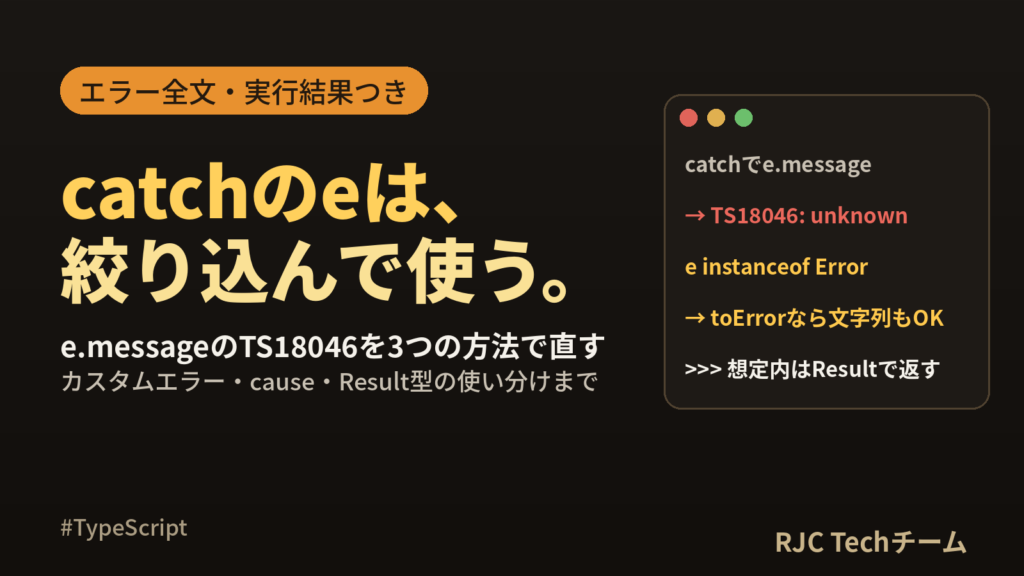
useUnknownInCatchVariables.ts(4,15): error TS18046: 'e' is of type 'unknown'.
JavaScript では throw "文字列" のように Error 以外も投げられるため、e が何であるかは確かめるまで分かりません。instanceof で絞り込んでから使います。
try {
  JSON.parse("{");
} catch (e) {
  if (e instanceof Error) {
    console.log(e.message);
  } else {
    console.log(String(e));
  }
}
export {};
strictBuiltinIteratorReturn:イテレーター終了時の値をundefinedにする
// strictBuiltinIteratorReturn.ts
const it = ["a", "b"][Symbol.iterator]();
const result = it.next();
if (result.done) {
  const last: string = result.value;
  console.log(last);
}
export {};
- off:エラーなし(終了時の
valueは any) - on:
strictBuiltinIteratorReturn.ts(4,9): error TS2322: Type 'undefined' is not assignable to type 'string'.
配列などの組み込みイテレーターは、終わったあとの value が undefined です。値を使うのは done が false のときだけにします。
const it = ["a", "b"][Symbol.iterator]();
const result = it.next();
if (!result.done) {
  const first: string = result.value;
  console.log(first);
}
export {};
strictに含まれない厳格化フラグのエラー例と直し方
ここからの off は --strict true のみ、on は --strict true に対象のフラグを足した結果です。どのフラグも、strict: true だけでは0件だったコードから追加でエラーを見つけます。
noUncheckedIndexedAccess:添字アクセスにundefinedを含める
// noUncheckedIndexedAccess.ts
const tags: string[] = [];
console.log(tags[0].toUpperCase());

const stock: Record<string, number> = { pen: 3 };
console.log(stock["note"].toFixed(0));
export {};
- off(strict のみ):エラーなし。実行すると
TypeError: Cannot read properties of undefined (reading 'toUpperCase')で止まる - on:
noUncheckedIndexedAccess.ts(2,13): error TS2532: Object is possibly 'undefined'.
noUncheckedIndexedAccess.ts(5,13): error TS2532: Object is possibly 'undefined'.
tags[0] の型が string から string | undefined に変わります。値を確かめてから使うか、?? で既定値を決めます。for...of で取り出した要素には undefined が付かないので、ループはそのまま書けます。
const tags: string[] = [];
const first = tags[0];
console.log(first === undefined ? "タグなし" : first.toUpperCase());

const stock: Record<string, number> = { pen: 3 };
console.log((stock["note"] ?? 0).toFixed(0));

for (const tag of tags) {
  console.log(tag.toUpperCase());
}
export {};
実行結果は次のとおりです。
タグなし
0
exactOptionalPropertyTypes:「省略」と「undefinedを入れる」を区別する
// exactOptionalPropertyTypes.ts
type Option = { color?: string };
const option: Option = { color: undefined };
console.log("color" in option);
export {};
- off(strict のみ):エラーなし。実行結果は
true(キーは存在している) - on:
exactOptionalPropertyTypes.ts(2,7): error TS2375: Type '{ color: undefined; }' is not assignable to type 'Option' with 'exactOptionalPropertyTypes: true'. Consider adding 'undefined' to the types of the target's properties.
  Types of property 'color' are incompatible.
    Type 'undefined' is not assignable to type 'string'.
color?: string は「キーが無い」か「string が入っている」のどちらか、という意味になります。in 演算子や Object.keys の結果が変わる箇所で役立ちます。undefined を入れたい場合は型に明記します。
type Option = { color?: string };
const option: Option = {};
console.log("color" in option);   // false

type Loose = { color?: string | undefined };
const loose: Loose = { color: undefined };
console.log("color" in loose);    // true
export {};
noImplicitOverride:上書きにoverrideを必須にする
// noImplicitOverride.ts
class Base {
  label() {
    return "base";
  }
}
export class Task extends Base {
  label() {
    return "task";
  }
}
- off(strict のみ):エラーなし
- on:
noImplicitOverride.ts(7,3): error TS4114: This member must have an 'override' modifier because it overrides a member in the base class 'Base'.
override label() { ... } と書けば通ります。override を付けておくと、親クラスのメソッド名を変えたときに子クラス側でエラーになり、上書きのつもりが別のメソッドになっていた、という食い違いを防げます。
noPropertyAccessFromIndexSignature:未定義のキーはブラケットで読む
// noPropertyAccessFromIndexSignature.ts
type Settings = { mode: string; [key: string]: string };
const settings: Settings = { mode: "dark" };
console.log(settings.mode, settings.colour);
export {};
- off(strict のみ):エラーなし
- on:
noPropertyAccessFromIndexSignature.ts(3,37): error TS4111: Property 'colour' comes from an index signature, so it must be accessed with ['colour'].
型に名前が書いてある mode はドットで、それ以外のキーは settings["colour"] とブラケットで読む、という書き分けになります。ドットで書いたキーは必ず定義済み、という目印になり、タイプミスに気づきやすくなります。
noImplicitReturnsとnoFallthroughCasesInSwitch:分岐の書き漏れを見つける
// noImplicitReturns.ts
export function rank(score: number) {
  if (score >= 80) {
    return "A";
  }
  if (score >= 60) {
    return "B";
  }
}
noImplicitReturns.ts(1,17): error TS7030: Not all code paths return a value.
最後に return "C"; を足すと解消します。
// noFallthroughCasesInSwitch.ts
export function fee(size: "S" | "M") {
  let yen = 0;
  switch (size) {
    case "S":
      yen += 500;
    case "M":
      yen += 800;
      break;
  }
  return yen;
}
noFallthroughCasesInSwitch.ts(4,5): error TS7029: Fallthrough case in switch.
case "S": の処理の最後に break; を足すと解消します。どちらも off(strict のみ)ではエラーなしでした。
ここまでの直したコード14ファイルは、--strict true に6つの追加フラグをすべて足した状態で、まとめてエラー0件になることを確かめています。
日本語のエラー文(--locale ja)
npx tsc --locale ja を付けると、同じエラーが日本語で表示されます。検索するときは TS 番号を使うと、英語・日本語どちらの情報も見つけられます。
| 番号 | フラグ | tsc 7.0.2 の日本語メッセージ |
|---|---|---|
| TS7006 | noImplicitAny | パラメーター 'n' の型は暗黙的に 'any' になります。 |
| TS2683 | noImplicitThis | 'this' は型として注釈を持たないため、暗黙的に型 'any' になります。 |
| TS18048 | strictNullChecks | 'hit' は 'undefined' の可能性があります。 |
| TS2322 | strictNullChecks | 型 'null' を型 'string' に割り当てることはできません。 |
| TS2564 | strictPropertyInitialization | プロパティ 'email' に初期化子がなく、コンストラクターで明確に割り当てられていません。 |
| TS2345 | strictBindCallApply | 型 'string' の引数を型 'number' のパラメーターに割り当てることはできません。 |
| TS2532 | noUncheckedIndexedAccess | オブジェクトは 'undefined' である可能性があります。 |
| TS4114 | noImplicitOverride | このメンバーは、基底クラス 'Base' のメンバーをオーバーライドするため、'override' 修飾子を指定する必要があります。 |
| TS7030 | noImplicitReturns | 一部のコード パスは値を返しません。 |
| TS7029 | noFallthroughCasesInSwitch | switch に case のフォールスルーがあります。 |
既存コードに1フラグずつ有効にする順番
型注釈をほとんど書いていない小さなプロジェクト(.ts が5ファイル)を使い、"strict": false の tsconfig.json に対してフラグを1つずつ足して件数を数えました。
{
  "compilerOptions": {
    "target": "es2023",
    "module": "nodenext",
    "strict": false,
    "noEmit": true
  },
  "include": ["src"]
}
エラー件数の数え方
コマンドラインのフラグは tsconfig.json より優先されるので、設定ファイルを書き換えずに試せます。
# 1フラグだけ有効にしたときの件数
npx tsc --noImplicitAny true | grep -c "error TS"

# strict に含まれるフラグをまとめて数える
for f in noImplicitAny noImplicitThis strictNullChecks strictFunctionTypes \
         strictBindCallApply useUnknownInCatchVariables strictBuiltinIteratorReturn; do
  echo -n "$f: "; npx tsc --$f true | grep -c "error TS"
done

# エラー番号ごと・ファイルごとの件数
npx tsc --strict true | grep -oE "TS[0-9]+" | sort | uniq -c | sort -rn
npx tsc --strict true | cut -d"(" -f1 | sort | uniq -c | sort -rn
実行結果です。
noImplicitAny: 9
noImplicitThis: 0
strictNullChecks: 8
strictFunctionTypes: 0
strictBindCallApply: 0
useUnknownInCatchVariables: 0
strictBuiltinIteratorReturn: 0
      8 TS7006
      5 TS18048
      2 TS2339
      1 TS2345
     11 src/cart.ts
      4 src/format.ts
      1 src/items.ts
strict: true にしたときの総数は16件でした。noImplicitAny の9件と strictNullChecks の8件を足した数とは一致しません。フラグを組み合わせると推論される型が変わり、エラーの種類が入れ替わるためです(このプロジェクトでは、noImplicitAny 単独のときに出ていた TS7008 が、strict: true では TS2339 と TS2345 に変わりました)。
npx tsc --strict true --pretty のように --pretty を付けると、最後にファイルごとの集計も表示されます。
Found 16 errors in 3 files.

Errors  Files
    11  src/cart.ts:7
     4  src/format.ts:1
     1  src/items.ts:7
おすすめの順番
| 順 | 有効にするフラグ | 理由 |
|---|---|---|
| 1 | noImplicitAny |
引数とプロパティに型が付くと、以降のフラグのエラーが正確になる |
| 2 | noImplicitThis、strictBindCallApply、strictFunctionTypes、useUnknownInCatchVariables、strictBuiltinIteratorReturn |
件数が少ないことが多く、まとめて片付けやすい(今回はすべて0件) |
| 3 | strictNullChecks |
件数が多くなりやすいので、型が付いてから取り組む |
| 4 | strictPropertyInitialization |
strictNullChecks が前提(単独では TS5052) |
| 5 | 個別のフラグを消して "strict": true の1行にまとめる |
将来 strict に加わるフラグも自動で有効になる |
| 6 | noUncheckedIndexedAccess などの追加フラグ |
strict が0件になってから1つずつ |
このプロジェクトでは、手順1で引数に型を書いた時点で noImplicitAny が0件になり、strict: true の残りは16件から5件(すべて TS18048)に減りました。先に型を書くと、null 関連のエラーも実際の問題だけに絞られます。
逆に、strict: true を先に書いてから、対応が済んでいないフラグだけを false にする進め方もあります。
npx tsc --strict true --strictNullChecks false | grep -c "error TS"   # 9
npx tsc --strict true --noImplicitAny false | grep -c "error TS"      # 8
{
  "compilerOptions": {
    "strict": true,
    "strictNullChecks": false
  }
}
この書き方なら、false の行を消していくだけで完了に近づき、残りの作業が tsconfig.json を見るだけで分かります。
よくある質問
Q. strict: true と書けば、厳しいチェックはすべて有効になりますか?
A. いいえ。有効になるのは早見表の9フラグです。noUncheckedIndexedAccess、exactOptionalPropertyTypes、noImplicitOverride などは含まれないので、個別に true を書きます。今回の検証でも、これらの例は strict: true だけではエラー0件でした。
Q. TypeScript 7 では strict を書かなくてもよいですか?
A. 書かなくても有効です(6.0.3 と 7.0.2 で確認)。ただし、5.9 以前でも同じ結果にしたい場合や、設定の意図を読む人に伝えたい場合は、"strict": true を明示しておくと分かりやすくなります。
Q. noUncheckedIndexedAccess を有効にすると、配列のループが書きにくくなりませんか?
A. for...of で取り出した要素には undefined が付かないため、ループはそのまま書けます。tags[0] のように添字で直接読む箇所だけ、値の確認か ?? が必要になります。
Q. エラーが多すぎて、どこから手を付ければよいか分かりません。
A. npx tsc | grep -oE "TS[0-9]+" | sort | uniq -c | sort -rn で番号ごとの件数を出し、最も多い番号から直すのがおすすめです。strict: false にして --noImplicitAny true から1つずつ有効にすると、1回の作業量を小さくできます。
まとめ
- strict は9フラグのまとめ:noImplicitAny、noImplicitThis、strictNullChecks、alwaysStrict、strictFunctionTypes、strictPropertyInitialization、strictBindCallApply、useUnknownInCatchVariables、strictBuiltinIteratorReturn。
- TypeScript 6.0 以降は書かなくても有効:同じファイルが 5.9.3 では0件、6.0.3 と 7.0.2 ではエラーになった。
- alwaysStrict は 7.0 で常に有効:
falseを書くと TS5108。tsconfig.json から行を消す。 - strict に含まれない6フラグは個別に指定:noUncheckedIndexedAccess(TS2532)、exactOptionalPropertyTypes(TS2375)、noImplicitOverride(TS4114)など。
- 有効にする順番は noImplicitAny → 件数の少ないフラグ → strictNullChecks → strictPropertyInitialization:先に型を書くと、残りのエラーが16件から5件に減った。
- 件数は
grep -c "error TS"で数える:コマンドラインのフラグで試せば、tsconfig.json を書き換えずに見積もれる。
参考・出典
- TSConfig Reference(各オプションの Released・Default・strict の Related) https://www.typescriptlang.org/tsconfig/
- Announcing TypeScript 6.0 https://devblogs.microsoft.com/typescript/announcing-typescript-6-0/
本記事の内容は、ご自由にお使いください。
ご利用の際は、出典として本ページへのリンクを記載いただけますようお願いします。
(記載例)出典:株式会社RJC「TypeScript strictオプション一覧|各フラグのエラー例と段階導入」
株式会社RJC ― SI事業・SES事業・AI駆動開発。RJCは一緒に成長を楽しめる会社です。
WE ARE HIRING
RJCで一緒に開発しながら、
成長を楽しみませんか?
RJCは、Web・モバイル・AIを活用した開発プロジェクトで、テックリードやPM・PMOも活躍するシステム開発会社です。会社を知る、待遇を確かめる、話を聞いてみる。気になるところ見てみてください!
- 127日年間休日
- 12時間平均残業時間
- 毎日ガチャ遊びココロも大切にする福利厚生。アマギフなどの賞品ラインナップ!
ほかにも、チケットレストラン、書籍読み放題、2年ごとの慰労報奨(休暇 or 金一封)、11期連続の黒字決算。