


- React
React useReducerの使い方とuseStateとの違い


useReducerとは、「いまのstate」と「何が起きたか(action)」から次のstateを決める関数(reducer)を使って、stateを更新するフックです。 useStateが「次の値を直接セットする」のに対し、useReducerは「起きた出来事を伝える(dispatchする)」形になり、更新のルールをコンポーネントの外の1つの関数にまとめられます。
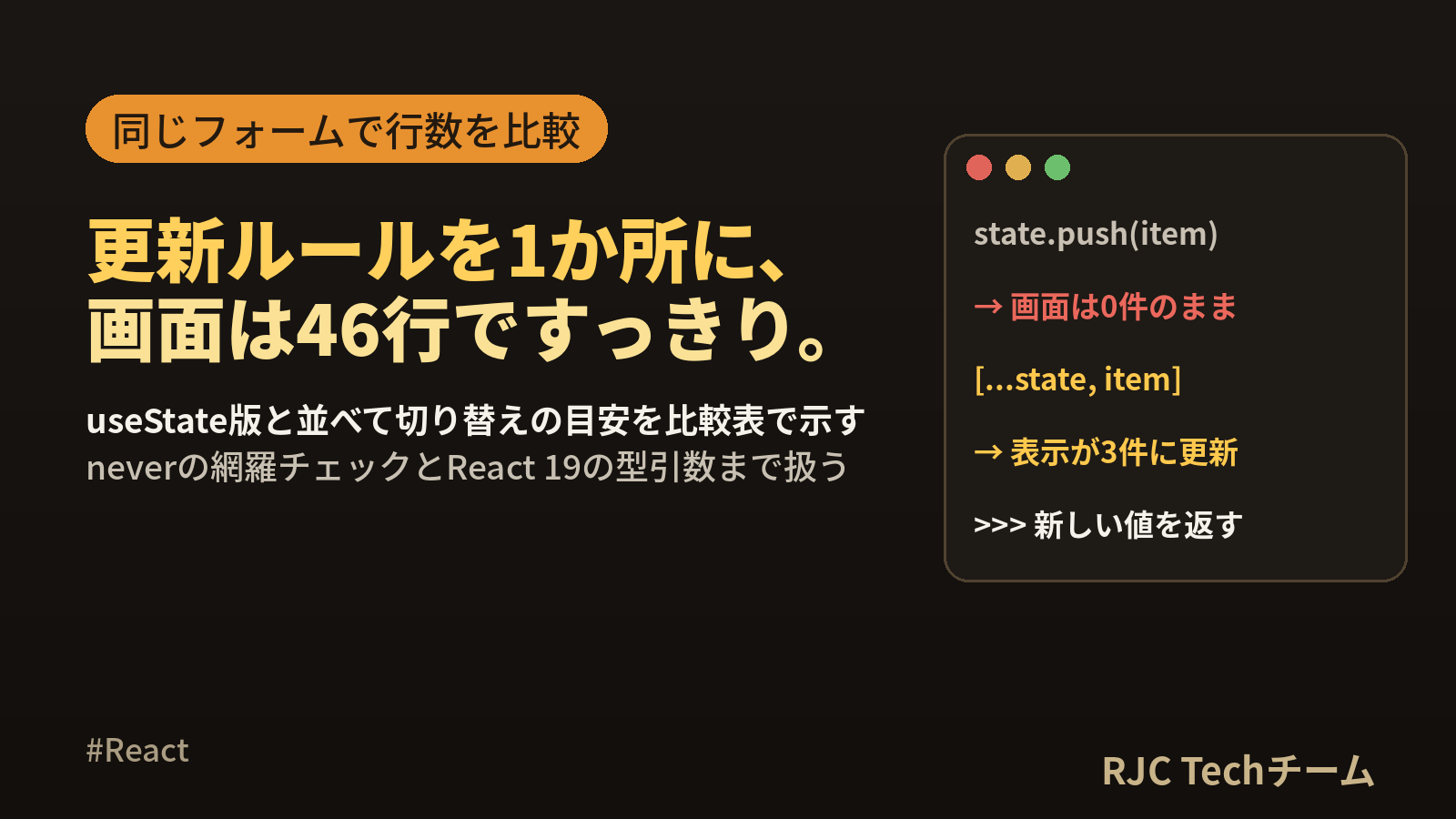
この記事では、同じ会員登録フォームをuseState版とuseReducer版の両方で書き、行数・更新箇所・テストのしやすさを実際に数えて比較しました。あわせて、TypeScriptでactionを型安全に定義する方法、never を使ってcaseの書き漏れをコンパイルエラーにする方法、stateを直接書き換えたときに画面が変わらない様子、Contextでdispatchを配る構成、React 19での型引数の書き方の変更を、React 19.3.0・TypeScript 6.0.3 で動かした結果つきで紹介します。
useReducerとuseStateの早見表
| 比べる点 | useState | useReducer |
|---|---|---|
| 書き方 | const [value, setValue] = useState(初期値) |
const [state, dispatch] = useReducer(reducer, 初期値) |
| 更新の伝え方 | 次の値を渡す:setCount(count + 1) |
起きたことを渡す:dispatch({ type: "incremented" }) |
| 更新ルールの置き場所 | イベントハンドラの中に散らばる | reducer関数の1か所に集まる |
| 向いているstate | 独立した値が1〜3個 | 関連する値が複数あり、同時に変わる |
| テスト | 画面を描画して操作する | reducerを通常の関数として呼ぶだけ |
| 子への受け渡し | 更新関数を値ごとに渡す | dispatch を1つ渡す(参照は変わらない) |
| コード量 | 少ない | reducerとactionの型の分だけ増える |
基本の形は次の4つの部品です。
| 部品 | 役割 | 例 |
|---|---|---|
| state | いまの状態 | { count: 0 } |
| action | 何が起きたかを表すオブジェクト | { type: "incremented" } |
| reducer | stateとactionから次のstateを返す関数 | (state, action) => 次のstate |
| dispatch | actionをreducerに届ける関数 | dispatch({ type: "incremented" }) |
本記事の内容は、ご自由にお使いください。
ご利用の際は、出典として本ページへのリンクを記載いただけますようお願いします。
(記載例)出典:株式会社RJC「React useReducerの使い方とuseStateとの違い」
useReducerの基本の使い方
最小のカウンター
import { useReducer } from "react";

type State = { count: number };
type Action = { type: "incremented" } | { type: "added"; amount: number } | { type: "reset" };

function reducer(state: State, action: Action): State {
  switch (action.type) {
    case "incremented":
      return { count: state.count + 1 };
    case "added":
      return { count: state.count + action.amount };
    case "reset":
      return { count: 0 };
  }
}

export function Counter() {
  const [state, dispatch] = useReducer(reducer, { count: 0 });
  return (
    <div>
      <p>{state.count}</p>
      <button onClick={() => dispatch({ type: "incremented" })}>+1</button>
      <button onClick={() => dispatch({ type: "added", amount: 10 })}>+10</button>
      <button onClick={() => dispatch({ type: "reset" })}>リセット</button>
    </div>
  );
}
流れは次のとおりです。
flowchart LR
    A[ボタンを押す] --> B["dispatch(action)"]
    B --> C["reducer(state, action)"]
    C --> D[次のstateを返す]
    D --> E[再レンダリング]
reducerを書くときの3つの約束
| 約束 | 内容 |
|---|---|
| 新しいstateを返す | 引数のstateを書き換えず、コピーして変更した新しいオブジェクトを返す |
| 同じ入力には同じ結果 | 通信・タイマー・乱数・現在時刻の取得をreducerの中に書かない |
| actionは「起きたこと」で名付ける | set_name より field_changed、submitted のように出来事で表す |
通信などの副作用は、イベントハンドラやEffectの中で行い、結果が出たところで dispatch します。
同じフォームをuseState版とuseReducer版で比べる
名前・メール・プラン・規約への同意の4項目と、項目ごとのエラー、送信状態を持つ会員登録フォームを例にします。「送信するとまとめて検証する」「入力するとその項目のエラーだけ消える」「リセットで全部戻る」という動きです。
useState版
// FormWithState.tsx
import { useState } from "react";

type Plan = "free" | "standard";
type Status = "editing" | "submitting" | "done";
type Errors = Partial<Record<"name" | "email" | "agreed", string>>;

export function FormWithState() {
  const [name, setName] = useState("");
  const [email, setEmail] = useState("");
  const [plan, setPlan] = useState<Plan>("free");
  const [agreed, setAgreed] = useState(false);
  const [errors, setErrors] = useState<Errors>({});
  const [status, setStatus] = useState<Status>("editing");

  const clearError = (key: keyof Errors) =>
    setErrors((prev) => {
      const { [key]: _removed, ...rest } = prev;
      return rest;
    });

  const handleSubmit = () => {
    const next: Errors = {};
    if (name.trim() === "") next.name = "名前を入力してください";
    if (!/^\S+@\S+\.\S+$/.test(email)) next.email = "メールアドレスの形式を確認してください";
    if (!agreed) next.agreed = "規約への同意が必要です";
    setErrors(next);
    setStatus(Object.keys(next).length === 0 ? "submitting" : "editing");
  };

  const handleReset = () => {
    setName("");
    setEmail("");
    setPlan("free");
    setAgreed(false);
    setErrors({});
    setStatus("editing");
  };

  if (status === "done") {
    return <button onClick={handleReset}>登録しました。もう一度入力する</button>;
  }
  return (
    <form
      onSubmit={(e) => {
        e.preventDefault();
        handleSubmit();
      }}
    >
      <input
        aria-label="名前"
        value={name}
        onChange={(e) => {
          setName(e.target.value);
          clearError("name");
        }}
      />
      {errors.name && <p role="alert">{errors.name}</p>}
      <input
        aria-label="メール"
        value={email}
        onChange={(e) => {
          setEmail(e.target.value);
          clearError("email");
        }}
      />
      {errors.email && <p role="alert">{errors.email}</p>}
      <select
        aria-label="プラン"
        value={plan}
        onChange={(e) => setPlan(e.target.value === "standard" ? "standard" : "free")}
      >
        <option value="free">フリー</option>
        <option value="standard">スタンダード</option>
      </select>
      <label>
        <input
          type="checkbox"
          checked={agreed}
          onChange={() => {
            setAgreed((v) => !v);
            clearError("agreed");
          }}
        />
        規約に同意する
      </label>
      {errors.agreed && <p role="alert">{errors.agreed}</p>}
      <button disabled={status === "submitting"}>登録する</button>
    </form>
  );
}
stateが6つあり、更新関数の呼び出しは全部で13か所です。リセットでは6つをすべて元に戻す必要があり、stateを1つ追加したら handleReset にも書き足すことになります。
useReducer版:reducerと型
// formReducer.ts
export type Plan = "free" | "standard";
export type Status = "editing" | "submitting" | "done";

export type FormState = {
  name: string;
  email: string;
  plan: Plan;
  agreed: boolean;
  errors: Partial<Record<"name" | "email" | "agreed", string>>;
  status: Status;
};

export type FormAction =
  | { type: "field_changed"; field: "name" | "email"; value: string }
  | { type: "plan_selected"; plan: Plan }
  | { type: "agreement_toggled" }
  | { type: "submitted" }
  | { type: "submit_succeeded" }
  | { type: "reset" };

export const initialState: FormState = {
  name: "", email: "", plan: "free", agreed: false, errors: {}, status: "editing",
};

function validate(state: FormState): FormState["errors"] {
  const errors: FormState["errors"] = {};
  if (state.name.trim() === "") errors.name = "名前を入力してください";
  if (!/^\S+@\S+\.\S+$/.test(state.email)) errors.email = "メールアドレスの形式を確認してください";
  if (!state.agreed) errors.agreed = "規約への同意が必要です";
  return errors;
}

export function formReducer(state: FormState, action: FormAction): FormState {
  switch (action.type) {
    case "field_changed": {
      const { [action.field]: _removed, ...errors } = state.errors;
      return { ...state, [action.field]: action.value, errors };
    }
    case "plan_selected":
      return { ...state, plan: action.plan };
    case "agreement_toggled": {
      const { agreed: _removed, ...errors } = state.errors;
      return { ...state, agreed: !state.agreed, errors };
    }
    case "submitted": {
      const errors = validate(state);
      const ok = Object.keys(errors).length === 0;
      return { ...state, errors, status: ok ? "submitting" : "editing" };
    }
    case "submit_succeeded":
      return { ...state, status: "done" };
    case "reset":
      return initialState;
    default: {
      const _exhaustive: never = action;
      throw new Error(`未対応の action: ${JSON.stringify(_exhaustive)}`);
    }
  }
}
useReducer版:コンポーネント
// FormWithReducer.tsx
import { useReducer } from "react";
import { formReducer, initialState } from "./formReducer";

export function FormWithReducer() {
  const [state, dispatch] = useReducer(formReducer, initialState);
  const { name, email, plan, agreed, errors, status } = state;

  if (status === "done") {
    return <button onClick={() => dispatch({ type: "reset" })}>登録しました。もう一度入力する</button>;
  }
  return (
    <form
      onSubmit={(e) => {
        e.preventDefault();
        dispatch({ type: "submitted" });
      }}
    >
      <input
        aria-label="名前"
        value={name}
        onChange={(e) => dispatch({ type: "field_changed", field: "name", value: e.target.value })}
      />
      {errors.name && <p role="alert">{errors.name}</p>}
      <input
        aria-label="メール"
        value={email}
        onChange={(e) => dispatch({ type: "field_changed", field: "email", value: e.target.value })}
      />
      {errors.email && <p role="alert">{errors.email}</p>}
      <select
        aria-label="プラン"
        value={plan}
        onChange={(e) => dispatch({ type: "plan_selected", plan: e.target.value === "standard" ? "standard" : "free" })}
      >
        <option value="free">フリー</option>
        <option value="standard">スタンダード</option>
      </select>
      <label>
        <input type="checkbox" checked={agreed} onChange={() => dispatch({ type: "agreement_toggled" })} />
        規約に同意する
      </label>
      {errors.agreed && <p role="alert">{errors.agreed}</p>}
      <button disabled={status === "submitting"}>登録する</button>
    </form>
  );
}
コンポーネントからは「何が起きたか」を伝える dispatch が6か所あるだけで、どう更新するかはすべてreducerに集まりました。リセットは return initialState の1行で、項目が増えても書き足す必要がありません。
実際に数えた比較表
| 比べる点 | useState版 | useReducer版 |
|---|---|---|
| ファイル | 1つ(90行) | 2つ(コンポーネント46行 + reducer 59行 = 105行) |
| コンポーネントの行数 | 90行 | 46行 |
| stateの宣言 | useState が6つ |
useReducer が1つ |
| コンポーネント内の更新箇所 | 更新関数の呼び出しが13か所 | dispatch が6か所 |
| 検証ルールの置き場所 | コンポーネントの中 | reducerのファイル(画面と独立) |
| リセット | 6つを1つずつ戻す | initialState を返す1行 |
| ロジックのテスト | 画面を描画して操作する | reducerを関数として呼ぶ |
| 動き | 同じ(下のテストで確認) | 同じ |
合計の行数はuseReducer版のほうが15行多くなりました。 useReducerはコードを短くする道具ではなく、更新のルールを1か所に集めて、コンポーネントを「表示と出来事の通知」に専念させる道具です。
2つの版が同じ動きをすることは、同じテストで確かめています。
for (const [label, Form] of [["useState版", FormWithState], ["useReducer版", FormWithReducer]] as const) {
  it(`${label}: 未入力で送信するとエラー3件、名前を入れると2件`, () => {
    render(<Form />);
    fireEvent.click(screen.getByText("登録する"));
    expect(screen.getAllByRole("alert")).toHaveLength(3);
    fireEvent.change(screen.getByLabelText("名前"), { target: { value: "青木" } });
    expect(screen.getAllByRole("alert")).toHaveLength(2);
  });
}
 ✓ ui.test.tsx > useState版: 未入力で送信するとエラー3件、名前を入れると2件 218ms
 ✓ ui.test.tsx > useReducer版: 未入力で送信するとエラー3件、名前を入れると2件 47ms
reducerは画面なしでテストできる
reducerは通常の関数なので、Reactもブラウザ環境も使わずにテストできます。actionを順に適用するには、配列の reduce にそのまま渡せます。
// formReducer.test.ts
import { expect, it } from "vitest";
import { formReducer, initialState, type FormAction } from "./formReducer";

const run = (...actions: FormAction[]) => actions.reduce(formReducer, initialState);

it("入力するとその項目のエラーだけ消える", () => {
  const state = run(
    { type: "submitted" },
    { type: "field_changed", field: "name", value: "青木" },
  );
  expect(state.name).toBe("青木");
  expect(state.errors).toEqual({
    email: "メールアドレスの形式を確認してください",
    agreed: "規約への同意が必要です",
  });
  expect(state.status).toBe("editing");
});

it("すべて正しければ submitting になる", () => {
  const state = run(
    { type: "field_changed", field: "name", value: "青木" },
    { type: "field_changed", field: "email", value: "aoki@example.com" },
    { type: "agreement_toggled" },
    { type: "submitted" },
  );
  expect(state.errors).toEqual({});
  expect(state.status).toBe("submitting");
});

it("reset で初期値に戻る", () => {
  const state = run({ type: "plan_selected", plan: "standard" }, { type: "reset" });
  expect(state).toBe(initialState);
});

it("元の state を書き換えない", () => {
  const before = structuredClone(initialState);
  formReducer(initialState, { type: "agreement_toggled" });
  expect(initialState).toEqual(before);
});
 ✓ formReducer.test.ts > 入力するとその項目のエラーだけ消える 2ms
 ✓ formReducer.test.ts > すべて正しければ submitting になる 0ms
 ✓ formReducer.test.ts > reset で初期値に戻る 0ms
 ✓ formReducer.test.ts > 元の state を書き換えない 0ms
      Tests  4 passed (4)
画面を描画するテストが47〜218msかかったのに対し、reducerのテストは1件あたり2ms以下でした。
どこからuseReducerに切り替えるかの目安
| 状況 | おすすめ | 理由 |
|---|---|---|
| 独立した値が1〜3個(開閉、入力1つ、選択中のタブ) | useState | 宣言も更新も1行で済む |
| 1つの操作で複数のstateを同時に変える | useReducer | 更新の漏れが起きにくい |
| 次の値が、ほかのstateの値によって決まる | useReducer | reducerの中ですべてのstateを見られる |
| 「送信中」「完了」など状態の移り変わりがある | useReducer | 移り変わりのルールを1か所で読める |
| 同じ更新処理を複数のイベントハンドラに書いている | useReducer | actionにまとめて使い回せる |
| 更新ロジックを単体でテストしたい | useReducer | 関数を呼ぶだけでテストできる |
| 深い階層の子から更新したい | useReducer + Context | dispatch を1つ配るだけで済む |
| サーバーから取得したデータのキャッシュ | 専用のライブラリ | 再取得や同期の仕組みが別に要る |
目安として、「useStateが4つ以上あり、1つのハンドラで3つ以上を同時に更新している」と感じたら切り替えどきです。最初からuseReducerにする必要はなく、useStateで書きはじめて、複雑になった時点で移すのが自然です。
actionをTypeScriptの判別可能ユニオンで定義する
typeプロパティで形を見分ける
判別可能ユニオン(discriminated union)とは、共通のプロパティ(ここでは type)の値によって、オブジェクトの形を見分けられるようにしたユニオン型です。
export type FormAction =
  | { type: "field_changed"; field: "name" | "email"; value: string }
  | { type: "plan_selected"; plan: Plan }
  | { type: "agreement_toggled" }
  | { type: "submitted" }
  | { type: "submit_succeeded" }
  | { type: "reset" };
switch (action.type) の各caseの中では、TypeScriptがactionの形を絞り込みます。case "plan_selected": の中では action.plan が使え、action.value は存在しないものとして扱われます。
dispatchの書き間違いがコンパイルエラーになる
typeの打ち間違いと、定義にないプロパティを渡した場合を tsc --noEmit で確かめました。
type State = { count: number };
type Action = { type: "incremented" } | { type: "reset" };

const [, dispatch] = useReducer(reducer, { count: 0 });
dispatch({ type: "increment" });            // 20行目:typeの打ち間違い
dispatch({ type: "incremented", step: 2 }); // 21行目:定義にないプロパティ
types19.tsx(20,14): error TS2820: Type '"increment"' is not assignable to type '"reset" | "incremented"'. Did you mean '"incremented"'?
types19.tsx(21,35): error TS2353: Object literal may only specify known properties, and 'step' does not exist in type '{ type: "incremented"; }'.
「Did you mean」と正しい候補まで示してくれます。
neverでcaseの書き漏れをコンパイルエラーにする
reducerの default に次の2行を置くと、actionを追加したのにcaseを書き忘れたときにコンパイルエラーになります。
    default: {
      const _exhaustive: never = action;
      throw new Error(`未対応の action: ${JSON.stringify(_exhaustive)}`);
    }
すべてのcaseを書いていれば、default に届くactionは残っておらず、型は never(ありえない値)になります。試しに FormAction へ次の1行を足し、reducerには手を入れずにコンパイルしました。
| { type: "coupon_applied"; code: string };
never_check.ts(56,13): error TS2322: Type '{ type: "coupon_applied"; code: string; }' is not assignable to type 'never'.
処理されていないactionの形がそのままエラー文に出るので、どのcaseを書けばよいかがすぐ分かります。case "coupon_applied": を追加するとエラーは消えます。
stateを直接書き換えると画面が変わらない
reducerで引数のstateを書き換えて、そのまま返すとどうなるかを確かめました。
type Todo = { id: number; title: string };
type TodoAction = { type: "added"; title: string };

function mutatingReducer(state: Todo[], action: TodoAction): Todo[] {
  state.push({ id: state.length + 1, title: action.title }); // 元の配列を書き換えている
  return state; // 同じ参照を返す
}
function copyingReducer(state: Todo[], action: TodoAction): Todo[] {
  return [...state, { id: state.length + 1, title: action.title }];
}

function TodoList({ reducer }: { reducer: typeof copyingReducer }) {
  const [todos, dispatch] = useReducer(reducer, []);
  return (
    <div>
      <button onClick={() => dispatch({ type: "added", title: "買い物" })}>追加</button>
      <p data-testid="count">{todos.length}件</p>
    </div>
  );
}
「追加」を3回押したあとの表示です。
書き換える reducer: 表示=0件 描画回数=4
新しい配列を返す reducer: 表示=3件 描画回数=4
配列の中身は増えているのに、書き換える版は画面が「0件」のままです。Reactは、reducerが返した値を前のstateと Object.is で比べ、同じ参照なら「変化なし」と判断して画面への反映を省きます。今回の環境ではコンポーネントの関数自体は呼ばれていましたが(描画回数4)、結果は画面に反映されませんでした。
よく使う「コピーして返す」書き方をまとめます。
| やりたいこと | 書き換えてしまう書き方 | 新しい値を返す書き方 |
|---|---|---|
| 配列に追加 | state.push(item) |
[...state, item] |
| 配列から削除 | state.splice(i, 1) |
state.filter((t) => t.id !== id) |
| 配列の1件を変更 | state[i].done = true |
state.map((t) => t.id === id ? { ...t, done: true } : t) |
| 並べ替え | state.sort(compare) |
[...state].sort(compare) または state.toSorted(compare) |
| オブジェクトの項目を変更 | state.name = value |
{ ...state, name: value } |
| 入れ子の項目を変更 | state.user.name = value |
{ ...state, user: { ...state.user, name: value } } |
| 項目を取り除く | delete state.errors.name |
const { name: _removed, ...rest } = state.errors |
Contextと組み合わせてdispatchを配る
階層の深い子からstateを更新したいときは、stateとdispatchを別々のContextに入れて配る構成がよく使われます。
import {
  createContext, useContext, useReducer, memo,
  type Dispatch, type ReactNode,
} from "react";

type CountAction = { type: "incremented" } | { type: "reset" };
const CountStateContext = createContext<number | null>(null);
const CountDispatchContext = createContext<Dispatch<CountAction> | null>(null);

function countReducer(state: number, action: CountAction): number {
  switch (action.type) {
    case "incremented": return state + 1;
    case "reset": return 0;
  }
}

export function CountProvider({ children }: { children: ReactNode }) {
  const [count, dispatch] = useReducer(countReducer, 0);
  return (
    <CountStateContext value={count}>
      <CountDispatchContext value={dispatch}>{children}</CountDispatchContext>
    </CountStateContext>
  );
}

export function useCount() {
  const v = useContext(CountStateContext);
  if (v === null) throw new Error("useCount は CountProvider の中で使ってください");
  return v;
}
export function useCountDispatch() {
  const v = useContext(CountDispatchContext);
  if (v === null) throw new Error("useCountDispatch は CountProvider の中で使ってください");
  return v;
}

const Display = memo(function Display() {
  return <p data-testid="display">{useCount()}</p>;
});
const Buttons = memo(function Buttons() {
  const dispatch = useCountDispatch();
  return <button onClick={() => dispatch({ type: "incremented" })}>+1</button>;
});

export function App() {
  return (
    <CountProvider>
      <Display />
      <Buttons />
    </CountProvider>
  );
}
Contextをそのままタグとして書く形(.Provider を付けない書き方)は、React 19から使える書き方です。React 18までは CountStateContext.Provider と書きます。
「+1」を5回押し、それぞれの描画回数を数えた結果です。
表示=5 Display描画=6 Buttons描画=1
Provider の外: useCountDispatch は CountProvider の中で使ってください
stateを読む Display は6回(初回+5回)描画され、dispatchだけを読む Buttons は初回の1回だけでした。dispatch は再レンダリングをまたいで同じ参照のままなので、dispatch用のContextの値は変わらず、それだけを読むコンポーネントは描画し直されません。
| 構成 | stateが変わったとき |
|---|---|
| stateとdispatchを1つのContextにまとめる | dispatchしか使わないコンポーネントも再レンダリングされる |
| stateとdispatchを別々のContextに分ける | dispatchしか使わないコンポーネントは再レンダリングされない(今回確認) |
useCount のようなカスタムフックで包んでおくと、Providerの外で使ったときに上のような分かりやすいメッセージで気づけます。
React 19での型引数の書き方の変更
React 19の型定義(@types/react 19系)では、useReducer の型引数の形が変わりました。公式のReact 19アップグレードガイド(今回開いて確認)では、reducerの型全体を型引数に渡す書き方は受け付けなくなり、型引数を書かずに推論に任せる書き方がすすめられています。
@types/react 19.3.0 で、以前の書き方をコンパイルした結果です。
import { useReducer, type Reducer } from "react";

type State = { count: number };
type Action = { type: "incremented" } | { type: "reset" };
function reducer(state: State, action: Action): State {
  return action.type === "incremented" ? { count: state.count + 1 } : { count: 0 };
}

// React 18 までの書き方(8行目)
const [s] = useReducer<Reducer<State, Action>>(reducer, { count: 0 });
types19.tsx(8,26): error TS2558: Expected 2 type arguments, but got 1.
React 19での書き方は次の3通りで、いずれもエラーなくコンパイルできました。
// 1. 型引数なし(おすすめ)。reducer の引数の型から推論される
const [s1] = useReducer(reducer, { count: 0 });

// 2. 明示するなら「state の型」と「action をタプルにした型」の2つ
const [s2] = useReducer<State, [Action]>(reducer, { count: 0 });

// 3. reducer をその場に書くなら、引数に型注釈を付ける
const [s3, d3] = useReducer((state: State, action: Action) => state, { count: 0 });
| 書き方 | React 18の型 | React 19の型 |
|---|---|---|
useReducer<Reducer<State, Action>>(reducer, init) |
使える | エラー(TS2558) |
useReducer(reducer, init) |
使える | 使える(おすすめ) |
useReducer<State, [Action]>(reducer, init) |
― | 使える |
React 18の型定義でのコンパイルは今回は未実行で、表の「使える」はアップグレードガイドの記載にもとづきます。reducer関数の引数と戻り値に型を書いておけば、useReducer 側の型引数は不要です。この形はどちらの版でも通るので、移行もスムーズです。
初期値を関数で作る(第3引数)
初期値の計算に手間がかかる場合や、propsから組み立てたい場合は、第3引数に初期化関数を渡します。初期化関数は最初の描画のときに1回だけ呼ばれます。
type Draft = { title: string; body: string; savedAt: number | null };
type DraftAction = { type: "edited"; body: string } | { type: "restored"; title: string };

const createDraft = (title: string): Draft => ({ title, body: "", savedAt: null });

function draftReducer(state: Draft, action: DraftAction): Draft {
  switch (action.type) {
    case "edited":
      return { ...state, body: action.body };
    case "restored":
      return createDraft(action.title); // 初期化関数はリセットにも使い回せる
  }
}

export function Editor({ title }: { title: string }) {
  const [draft, dispatch] = useReducer(draftReducer, title, createDraft);
  return (
    <textarea
      aria-label={draft.title}
      value={draft.body}
      onChange={(e) => dispatch({ type: "edited", body: e.target.value })}
    />
  );
}
このコードは tsc --noEmit で型が通ることを確認しています(画面での動作確認は未実行です)。
つまずきやすい点と直し方
| 症状 | 原因 | 直し方 |
|---|---|---|
| dispatchしても画面が変わらない | reducerがstateを書き換えて同じ参照を返している | スプレッド構文などで新しいオブジェクト・配列を返す |
dispatch直後に state を読むと前の値のまま |
stateは次のレンダリングで更新される | 次の値が必要なら reducer(state, action) を自分で呼んで計算する |
| caseを追加し忘れて何も起きない | default で黙ってstateを返している |
never の網羅チェックを置く |
| 開発時にreducerが2回呼ばれる | StrictModeが、書き換えを見つけるために2回呼んでいる | reducerが新しい値を返す形なら結果は変わらない。そのままでよい |
Expected 2 type arguments, but got 1 |
React 19の型で以前の型引数の書き方をしている | 型引数を外すか、stateとactionのタプルの2つにする |
| reducerの中で通信したくなる | reducerは次のstateを決めるだけの関数 | 通信はイベントハンドラで行い、結果をdispatchする |
よくある質問
Q. useReducerはuseStateより速いですか? A. 速さを目的に選ぶものではありません。どちらもstateが変われば再レンダリングする点は同じです。違いは更新ロジックの置き場所で、複数のstateが絡む更新を1か所にまとめたいときにuseReducerが向いています。
Q. Reduxとの違いは何ですか? A. 考え方(action・reducer・dispatch)は共通です。useReducerはReactに最初から入っていて、1つのコンポーネント(またはContextで配った範囲)のstateを扱います。アプリ全体で共有するストア、開発者ツール、ミドルウェアといった仕組みが必要になったら、状態管理ライブラリを検討します。
Q. actionのtypeは大文字(INCREMENTなど)で書くべきですか?
A. 決まりはありません。TypeScriptでは文字列リテラル型で打ち間違いを検出できるので、"field_changed" のように「何が起きたか」を過去形で書く形が読みやすくおすすめです。チームで1つの書き方にそろえることが大切です。
Q. フォームはすべてuseReducerで書くべきですか? A. 入力が2〜3個で検証も単純なら、useStateのほうが短く書けます。項目どうしが関係する、送信状態がある、リセットや検証が複雑、といった条件が重なったら切り替えると効果が出ます。
まとめ
- useReducerは「stateとactionから次のstateを決めるreducer」でstateを更新するフック。 更新のルールをコンポーネントの外の1か所に集められる。
- 同じフォームで比べると、合計行数はuseReducer版が15行多い一方、コンポーネントは90行から46行に、更新箇所は13か所から6か所になった。
- 切り替えの目安は、関連するstateが4つ以上あり、1つの操作で複数を同時に変えているとき。
- actionは判別可能ユニオンで定義し、
defaultにneverの網羅チェックを置く。 caseの書き漏れがコンパイルエラーで分かる。 - reducerでは引数のstateを書き換えず、新しい値を返す。 同じ参照を返すと画面は更新されない。
- Contextで配るときはstateとdispatchを別々にする。 dispatchだけを使うコンポーネントは再レンダリングされなかった。
- React 19の型では、
useReducerの型引数は書かずに推論に任せる。 reducerの引数に型を書いておけば足りる。
参考
- React 公式ブログ「React 19 Upgrade Guide」(react.dev/blog/2024/04/25/react-19-upgrade-guide、2026-10-03に閲覧)
本記事の内容は、ご自由にお使いください。
ご利用の際は、出典として本ページへのリンクを記載いただけますようお願いします。
(記載例)出典:株式会社RJC「React useReducerの使い方とuseStateとの違い」
株式会社RJC ― SI事業・SES事業・AI駆動開発。RJCは一緒に成長を楽しめる会社です。
WE ARE HIRING
RJCで一緒に開発しながら、
成長を楽しみませんか?
RJCは、Web・モバイル・AIを活用した開発プロジェクトで、テックリードやPM・PMOも活躍するシステム開発会社です。会社を知る、待遇を確かめる、話を聞いてみる。気になるところ見てみてください!
- 127日年間休日
- 12時間平均残業時間
- 毎日ガチャ遊びココロも大切にする福利厚生。アマギフなどの賞品ラインナップ!
ほかにも、チケットレストラン、書籍読み放題、2年ごとの慰労報奨(休暇 or 金一封)、11期連続の黒字決算。


